

Overview
Browser 3D games that a coding agent writes from scratch, one plain-English request per round, all in one growing codebase. The games use no binary assets: geometry, textures and sound are made in code.
What you get
game/
├── workspace/          runnable game
│   ├── index.html + CSS
│   ├── src/            ES modules
│   └── vendor/         three.js r169
├── problem_statement_* one per round
├── result.json         per-round stats
└── traj/
    ├── calls.jsonl     every API call
    ├── index.json      token counts
    └── trajectories/   context segments
        ├── seg00_fresh.json
        ├── seg01_compact.json
        ├── branch_*.json
└── session_full.json- Game. Plain ES modules with an import map. Serve the folder with any static file server: nothing to install or build, no network requests.
- Calls. Each line of
calls.jsonlholds the system prompt, tools, full message history, response, token usage and timing. Thinking blocks hold the summaries the API returns. - Segments. Each time the context fills, the session continues from a compaction summary, which starts a new segment.
Samples
Three games, each built over three or four rounds of requests. For the first two, the frames are screenshots the agent took of its own build and looked at, in order, with the round and model call in each label, followed by one shot of the finished game. The third shows the finished game in play order. Click any image to enlarge it and step through the sequence.
Sample 1 of 3
Highway weave: a first-person motorbike ride through traffic
The player sits on a motorbike and weaves between cars on a four-lane highway: passing close to a car at over 100 km/h scores points, and close passes in a row build a combo. Three rounds of requests grew it from an endless road with the bike’s cockpit in view into a six-gear bike with wheelies and crashes, then into four environments at three times of day, with rain, tunnels and four game modes. The agent opened screenshots of its own game 69 times along the way; the frames below include three before-and-after pairs, and the two excerpts show it placing the moon in the night sky and lighting the cockpit inside a tunnel.
The rounds
- Round 1 The road and the cockpit: an endless four-lane highway seen from the saddle, with the bar ends and mirrors, gloved hands and a small instrument panel in view; cars to dodge; arrow keys; everything drawn in code.
- Round 2 The bike: six gears with a rev limiter, automatic or manual shifting, lean and camera roll, a wheelie, horn and head checks, near-miss scoring with a combo bar, and a crash that cracks the visor.
- Round 3 Places and modes: four environments (open highway, desert, city, winter), each at noon, evening and night; the headlight at night, tunnels, rain with thunder; career, endless, time trial and free ride; one-way or two-way roads.
Screenshots the agent took of its own build, in order, then the finished game
Round 1, model call 48
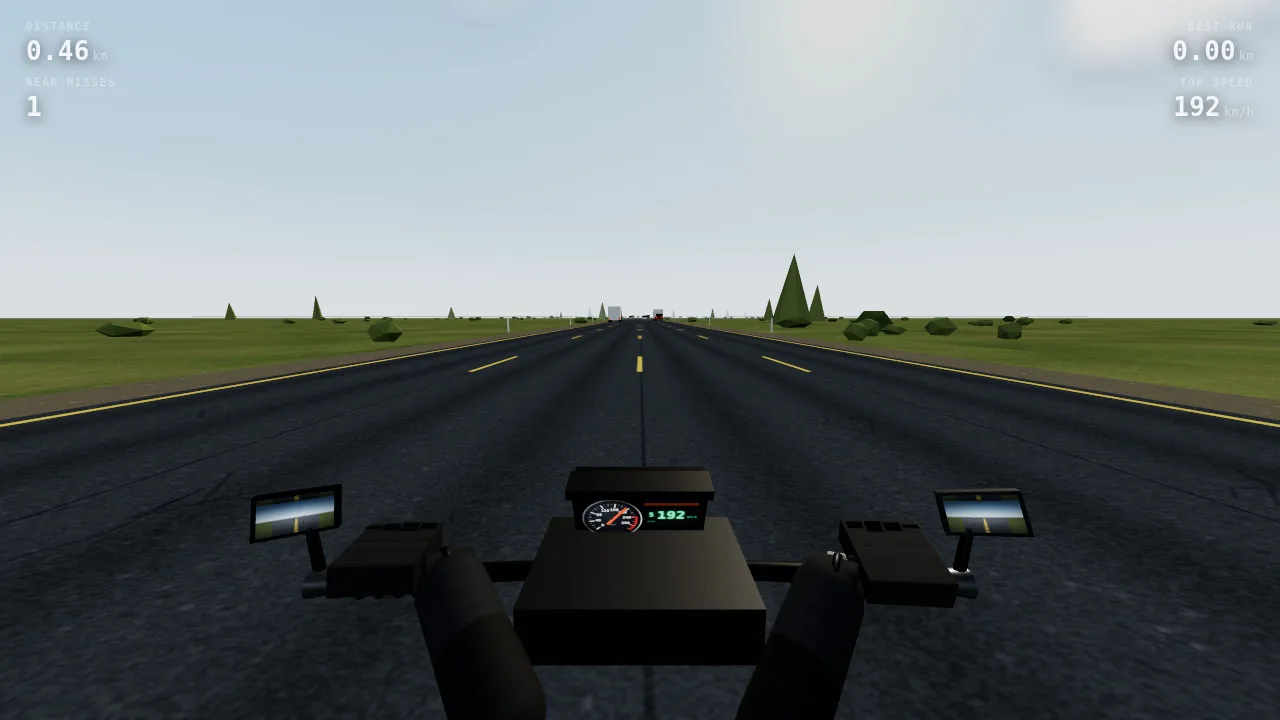
Before: the first screenshot the agent looked at. The road, cars and HUD work, but the bars, hands and cowl render as black blocks.
Round 1, model call 66
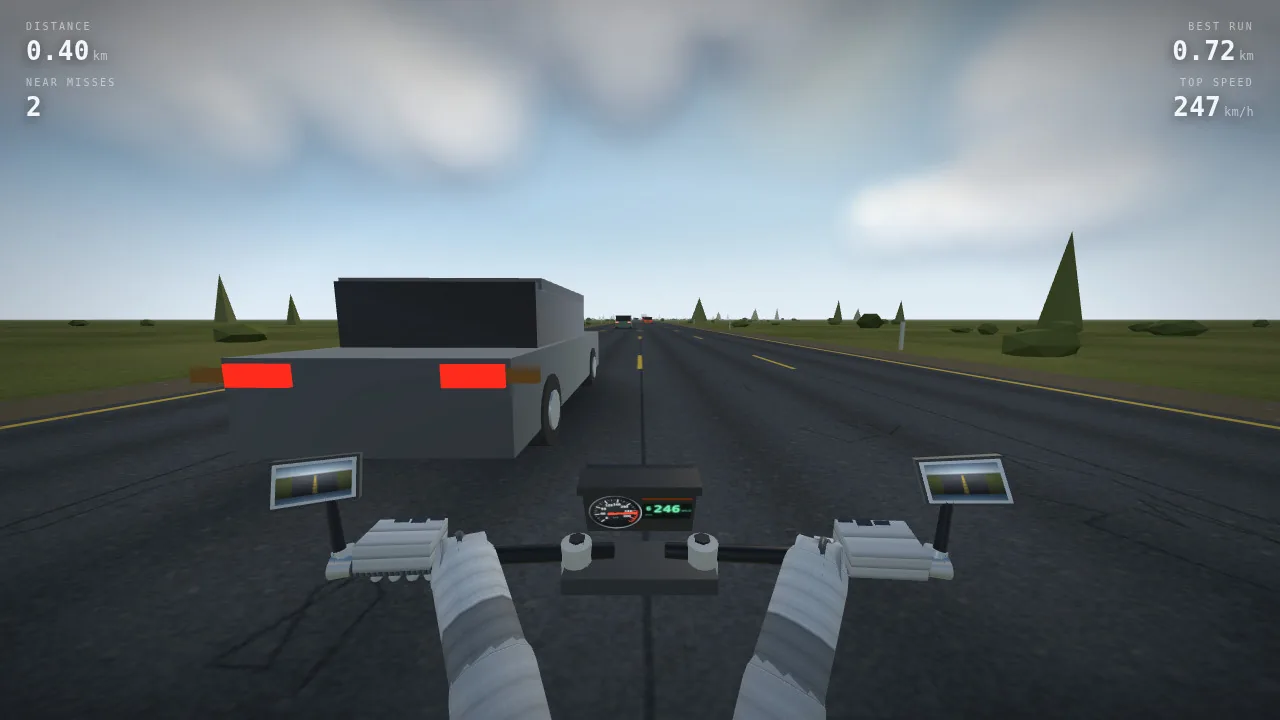
After: the agent found that metallic materials with no environment map render black and that the glove and grip textures were dark on dark. It added an environment map, lightened the textures and rebuilt the cockpit.
Round 2, model call 198
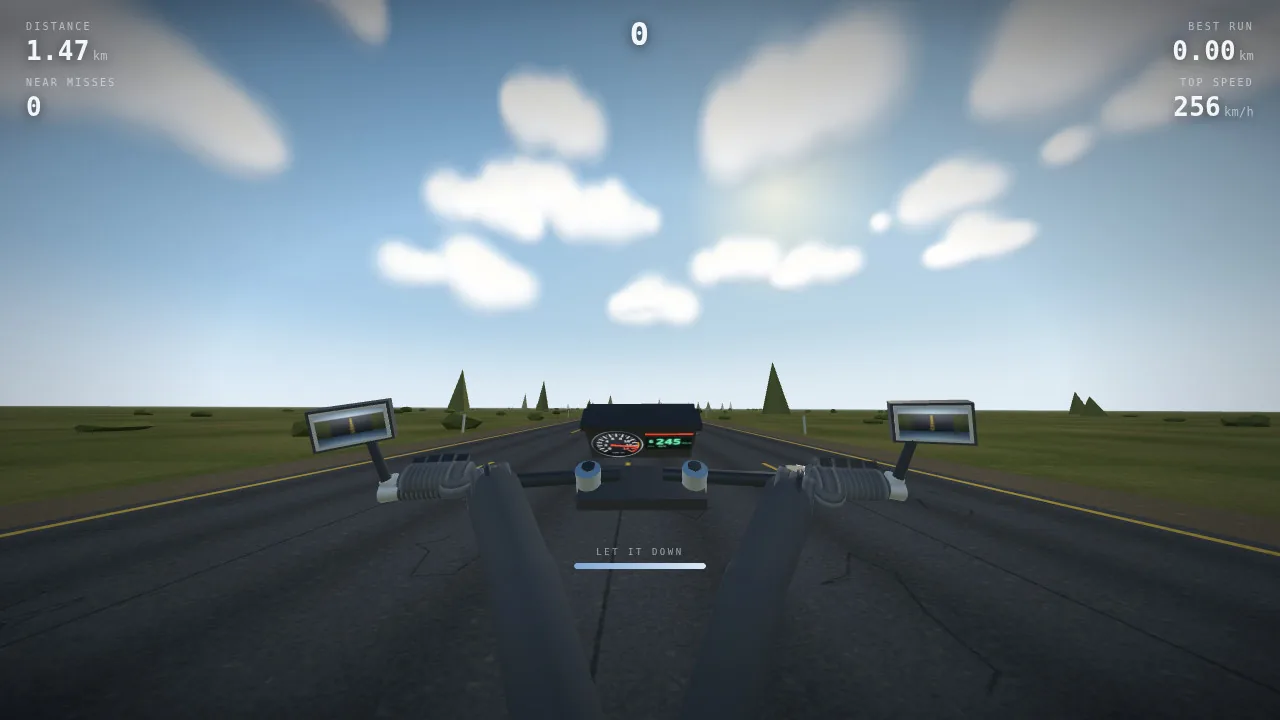
A wheelie: the front comes up and the view tips toward the sky. The bar under the instrument panel shows the time left before the bike goes over backwards.
Round 2, model call 208
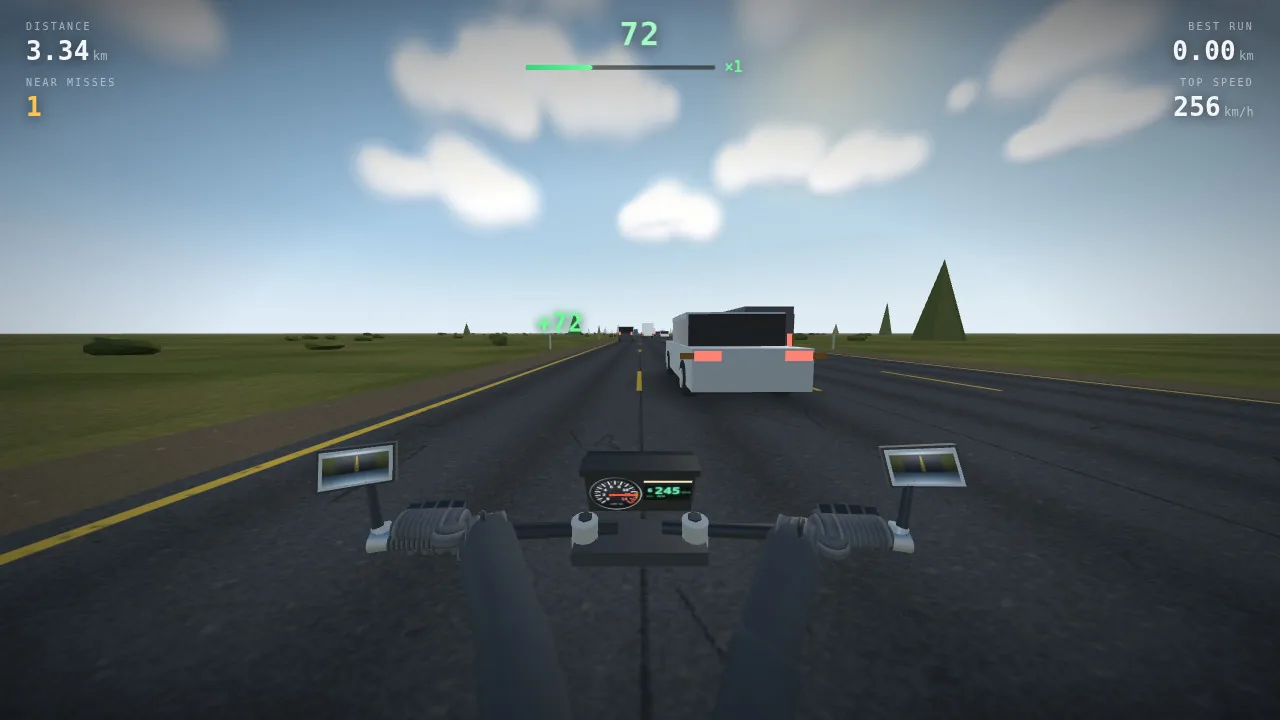
A near miss: a green +72 pops up, and the combo bar at the top starts to fill.
Round 2, model call 208
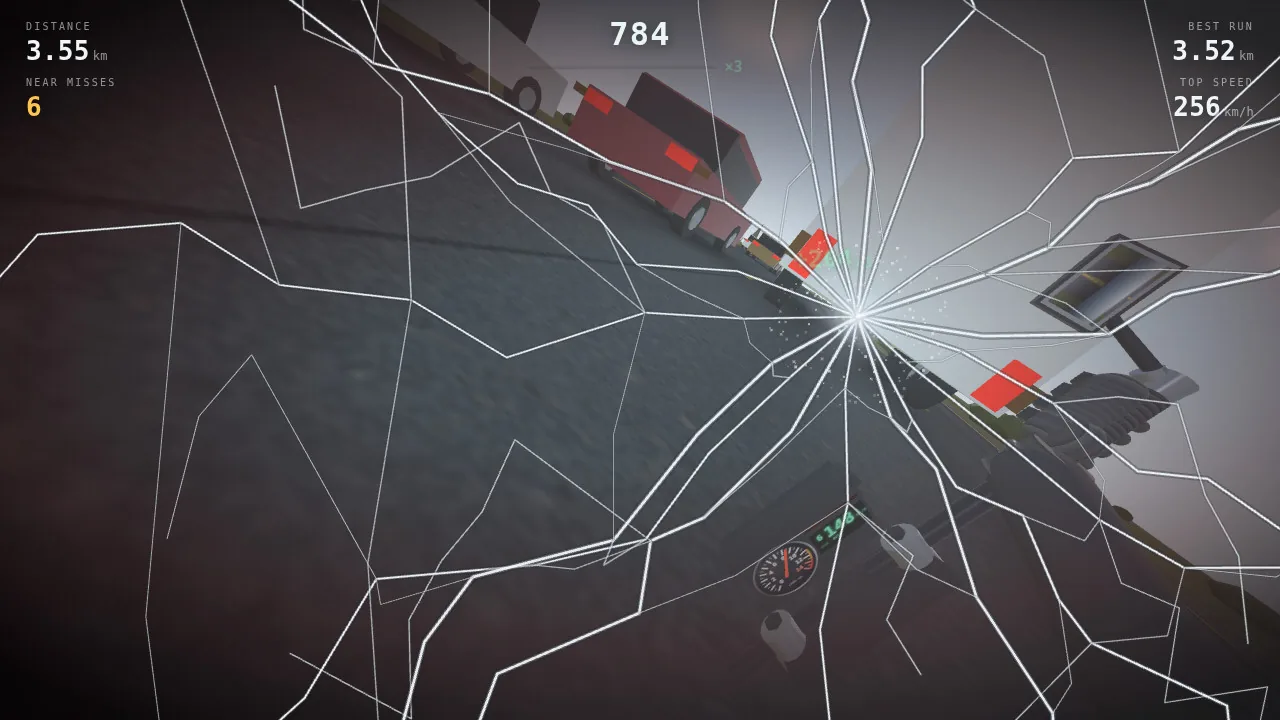
A crash: the visor cracks into a star on the side the hit came from, and the view is thrown sideways.
Round 3, model call 277
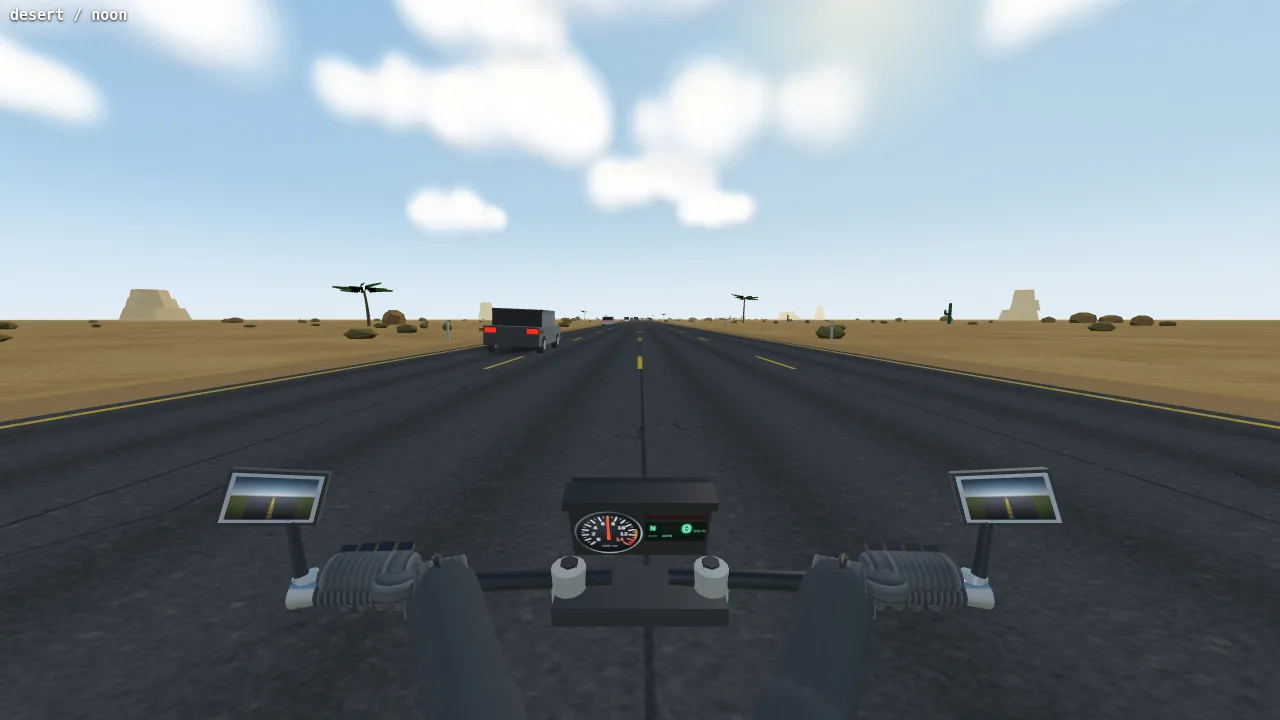
The desert at noon: sandstone mesas, palms and a cactus. This and the next six screenshots come from the agent's own test page, which shows only the world and the bike, with no HUD, and names the scene in the top-left corner.
Round 3, model call 356
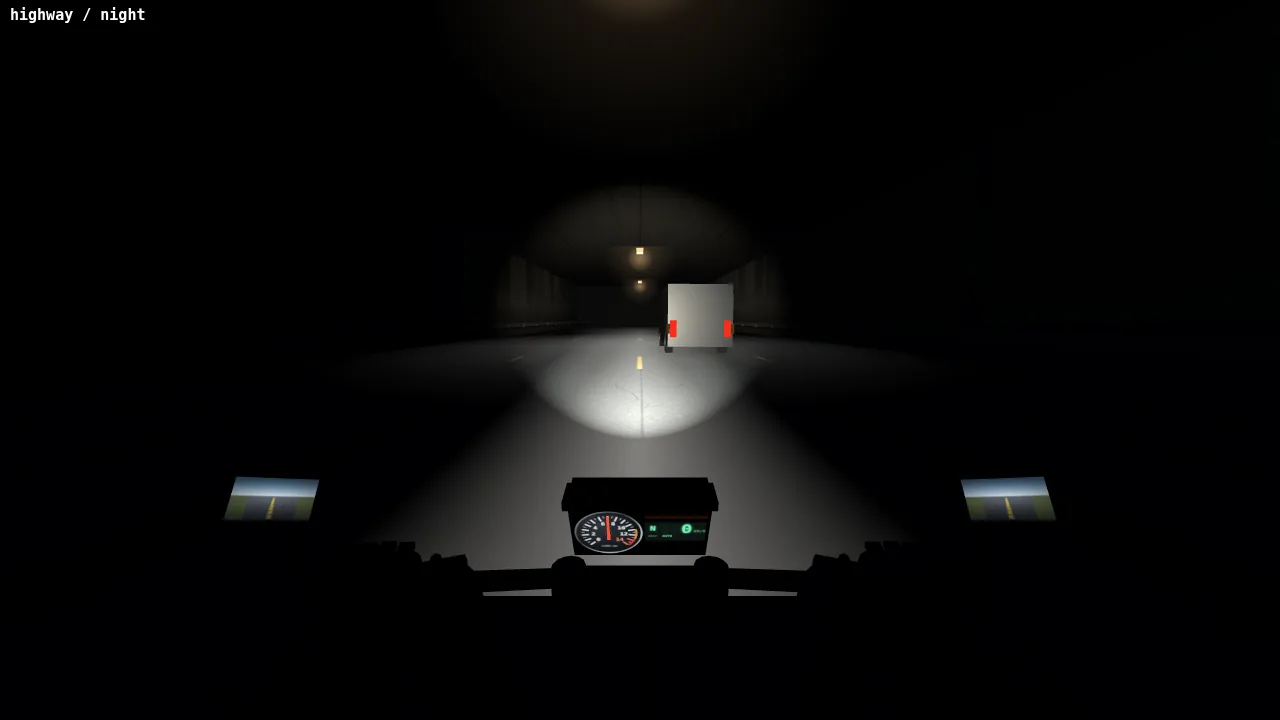
Before: in a tunnel at night the headlight lights the road, but the bars and gloves are a black silhouette. The tunnel excerpt below shows the fix.
Round 3, model call 379
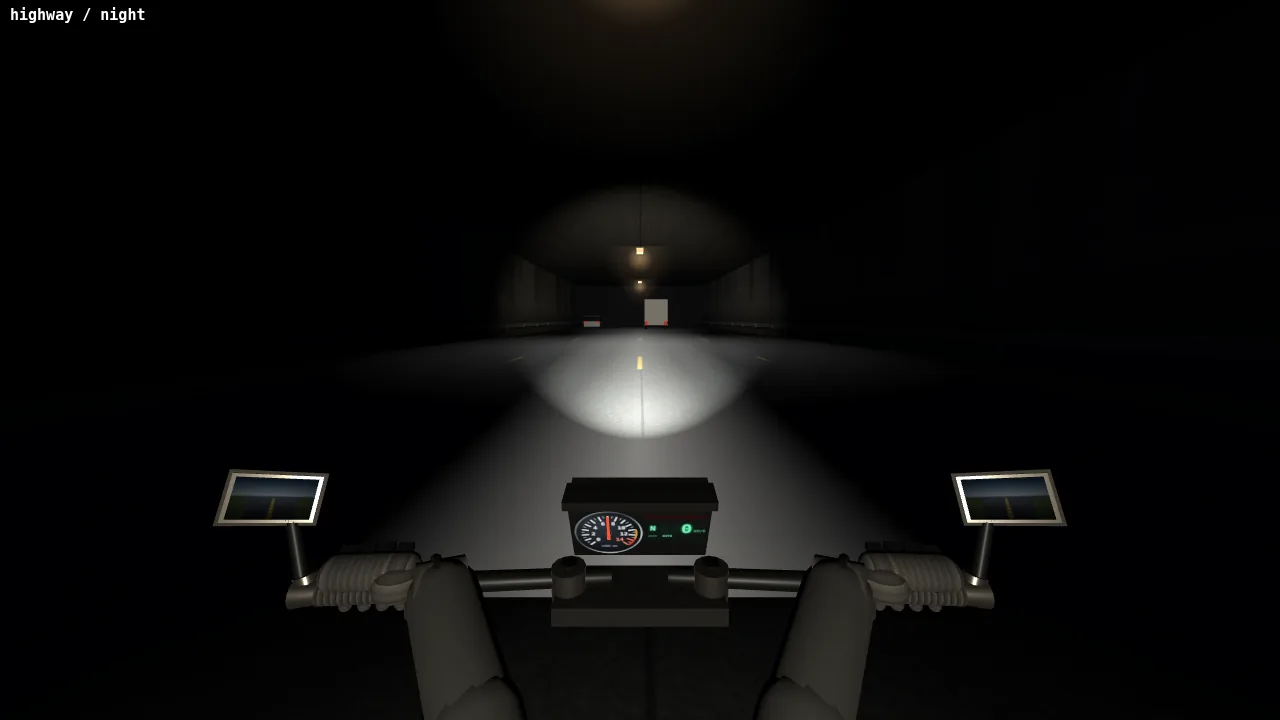
After: a light on the cockpit that reaches about two meters brings out the bars, grips and gloves and leaves the rest of the scene dark (tunnel excerpt below).
Round 3, model call 388
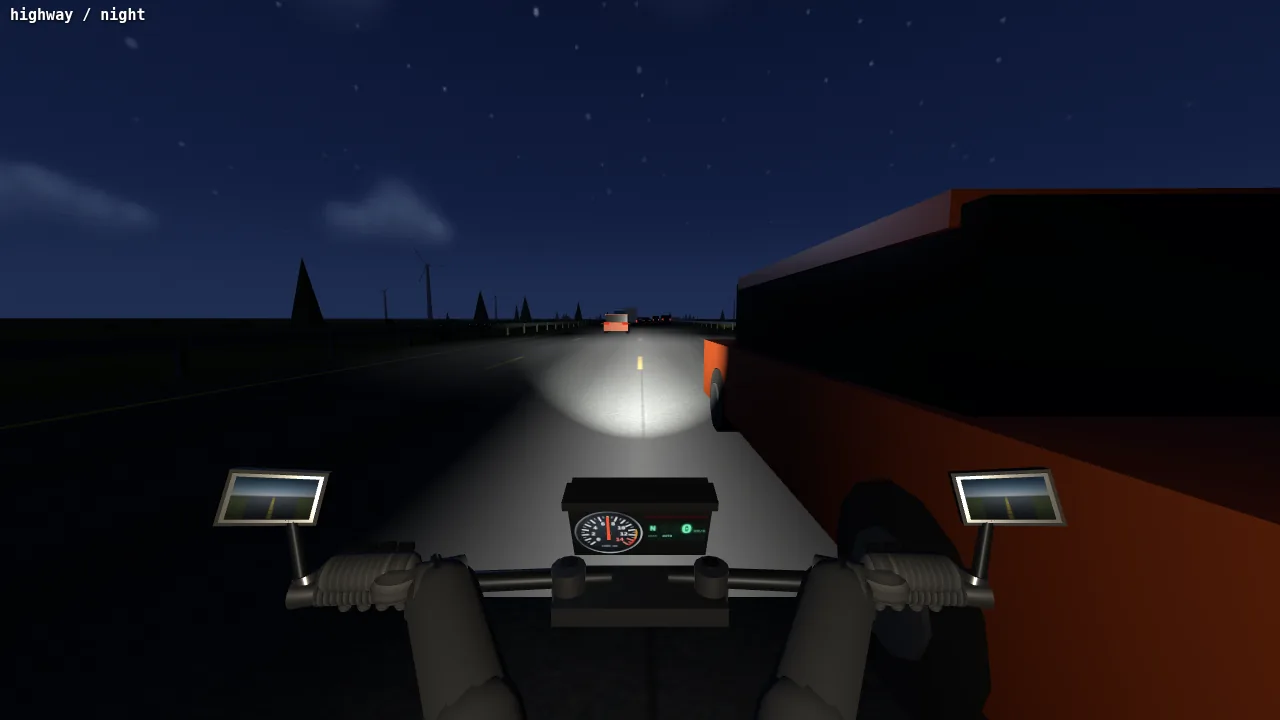
Before: the agent meant to put a small moon ahead and to the left, but the sky has none. Its first guess at how the sky texture maps onto the sky sphere was wrong (moon excerpt below).
Round 3, model call 391
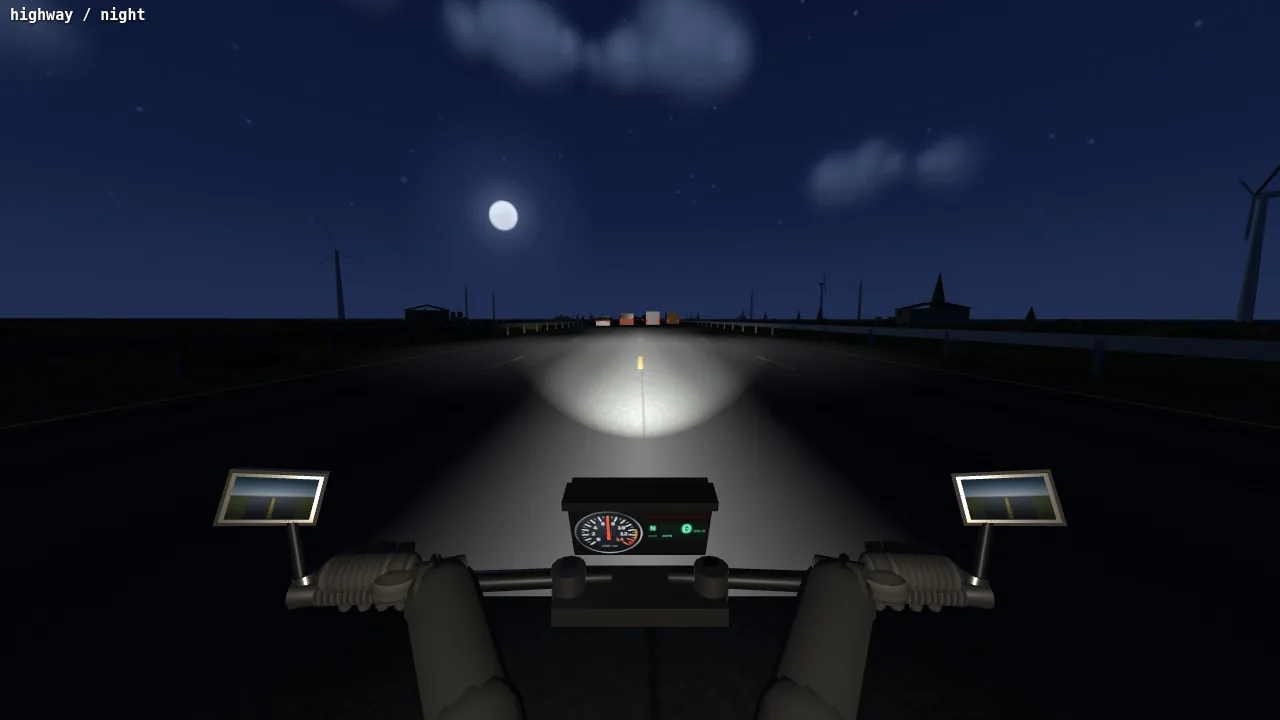
After: with the mapping worked out, the moon sits ahead and to the left among the stars, with wind turbines on the skyline (moon excerpt below).
Round 3, model call 461
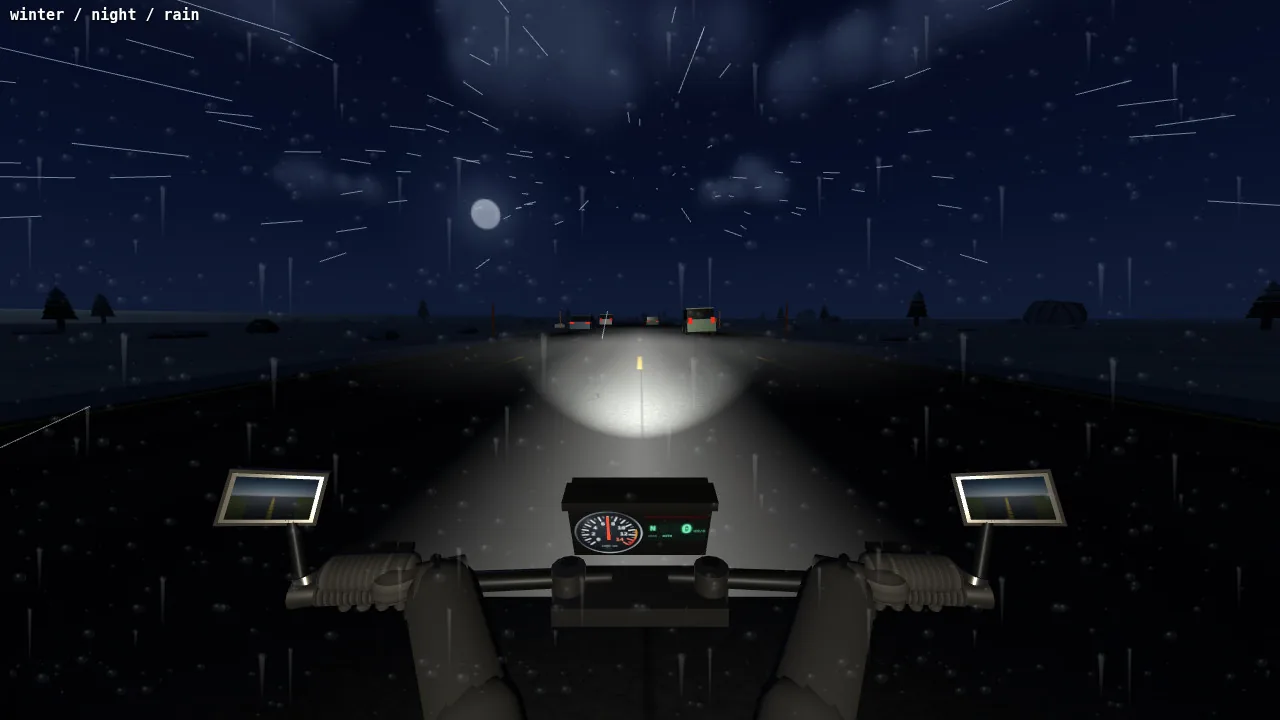
Winter at night in the rain: streaks on the lens, dark pines, the moon and the headlight's cone on the road.
Round 3, model call 498
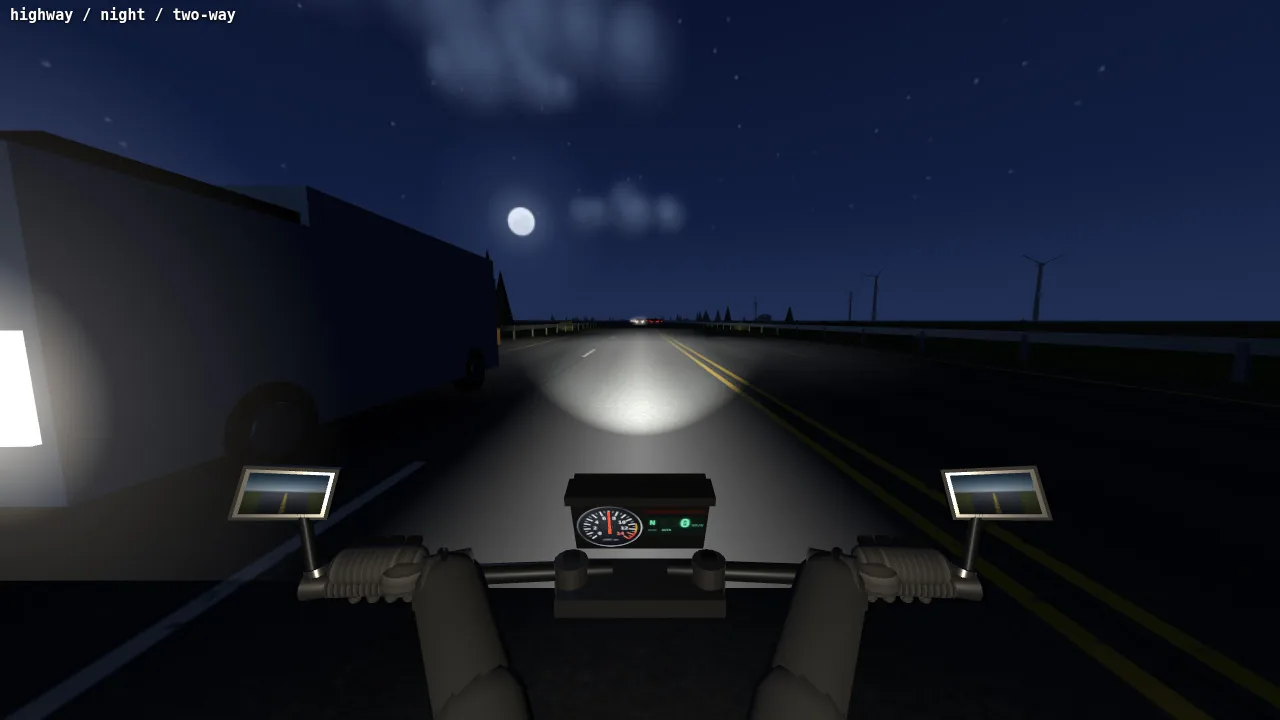
Two-way roads at night: an oncoming truck passes on the left with its headlights on.
Finished game
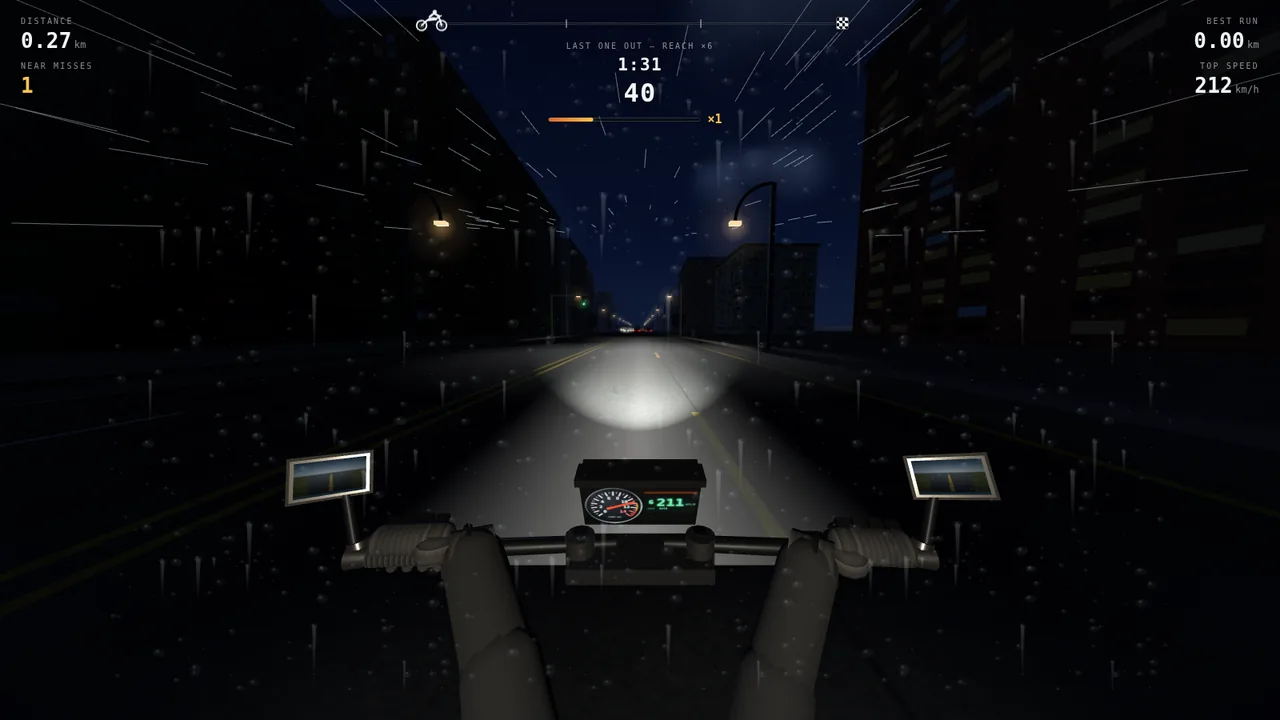
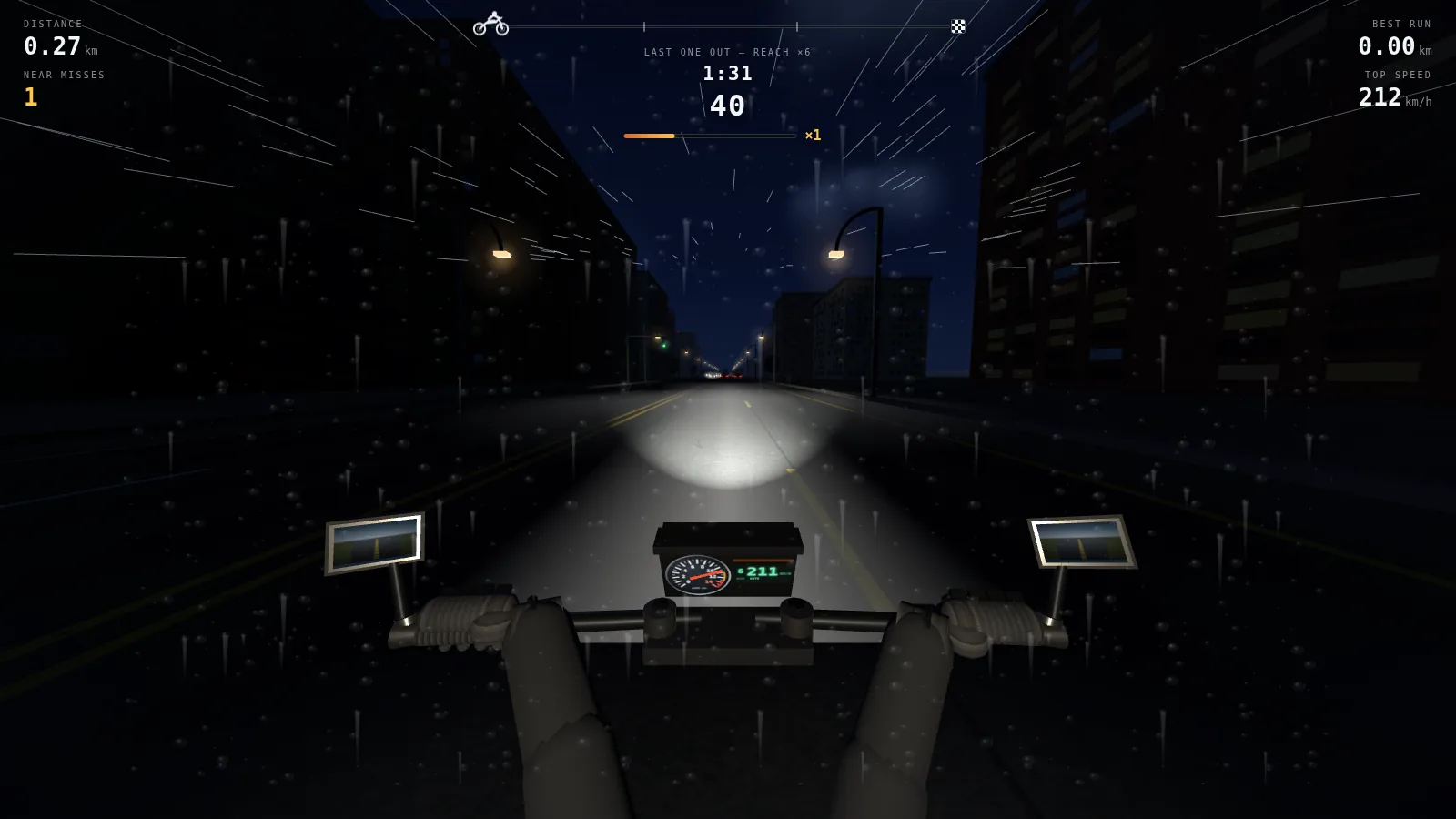
Career mission 8: the city at night in the rain, with the mission's name and goal, a progress track and a clock at the top.
Result
- Request rounds
- 3
- Model calls
- 550
- Tool calls
- 559
- Output tokens
- 0.68 M
- Lines of JavaScript (14 modules)
- 7,095
- Agent working time
- 3 h 31 min
Excerpt: placing the moon in the night sky (round 3, model calls 382–391)
- Thinking
The night scene is looking good overall with the sky, stars, silhouetted landscape, and vehicle lighting all in place. I need to check if the night sky texture includes a moon since that's specified in the brief…
- Tool call Edit
// Sits ahead and a little left, low enough to stay in frame from the // saddle. Small: the brief asked for a cold one, not a harvest moon. moon: { x: 0.505, y: 0.425, r: 0.010 }, - Tool output Read
[image: the screenshot from model call 388 above, with no moon in the sky]
- Thinking
The moon should be visible around y ≈ 120 pixels given its elevation angle of 13.5°, but it's not appearing in the frame, which suggests my assumptions about the coordinate mapping might be off. …

Let me work through the three.js sphere geometry UV mapping directly. At u=0 the direction points along -x, at u=0.25 it points along +z, at u=0.5 it's +x, and at u=0.75 it points straight ahead along -z. … Working out the azimuth angles: the evening sun at u=0.66 corresponds to about 32° right of straight ahead, which matches the sunDir vector. Since decreasing u moves right, I can position the moon ahead-left by 22° at u = 0.75 + 22/360 ≈ 0.811. …
- Tool call Edit
moon: { x: 0.811, y: 0.425, r: 0.010 }, - Tool output Read
[image: the screenshot from model call 391 above, with the moon ahead and to the left]
- Thinking
The moon's visible now with a soft glow, and the night highway is looking good. …
Excerpt: lighting the cockpit inside a tunnel (round 3, model calls 356–379)
- Tool output Read
[image: the screenshot from model call 356 above, with the bars and gloves in black silhouette]
- Thinking
… The cockpit is nearly invisible at night because the fill light gets multiplied by the tunnel's dim factor, which drops it to almost zero. The headlight is on, so there should be some light bouncing off the road back onto the bars and hands, but they're completely dark. I'm thinking about adding a headlight-dependent bounce component to the fill light calculation so it maintains visibility inside the tunnel while still respecting the overall darkness. …
- Thinking
… I'm experimenting with fill light intensity — raising it to 0.45 would add more bounce … inside the tunnel, but that same intensity would wash out the night sky in open areas since
wantis 1 at night everywhere. Instead of adjusting the global fill, I should add a dedicated low-intensity point light attached to the cockpit position with a short range so it only illuminates nearby geometry like the bars and hands. - Tool call Edit
// … Some of the beam comes back off the
// tarmac, and the instrument face glows; without either, the bars and the
// gloves are a flat black cut-out at night and in a tunnel. The range is
// deliberately about two metres, so it lights the cockpit and nothing else.
this.cockpitGlow = new THREE.PointLight(0xffe7c2, 0, 2.6, 2);
this.cockpitGlow.position.set(0, 1.02, 0.30);
this.scene.add(this.cockpitGlow);
- Tool output Read
[image: the screenshot from model call 379 above, with the bars, grips and gloves lit]
- Thinking
… The gloves are sitting at mid-grey which feels a touch too intense for a tunnel environment, so I'll pull that back to 1.35. …
- Tool call Edit
this.cockpitGlow.intensity = want * 1.35;
Sample 2 of 3
Headcount: a crowd that grows and shrinks through gates
A crowd of capsule-bodied runners heads down a road over water, and each gate it passes adds to, subtracts from, multiplies or divides its head count. Four rounds take it from the core gate loop to a jostling crowd with hazards and red enemy crowds, then to finished levels with four palettes, a staircase finale and a boss, and last to a start screen, upgrades, a skin shop and sound. The agent opened screenshots of its own game 64 times; ten of them follow in order, then the finished game, and the two excerpts show the fixes behind the two before-and-after pairs.
The rounds
- Round 1 The core loop: the crowd runs forward on its own down a pale road over water, the player steers left and right, pairs of gates add, subtract, multiply or divide, and the head count floats above the crowd.
- Round 2 Crowd and hazards: every runner has its own body, lag and lean; hammers, saws, swatters, spikes and gaps in the road; red enemy crowds that fight it out body by body; narrow corridors; difficulty that ramps up.
- Round 3 Levels with an ending: four palettes that swap everything from sky to props, low-poly scenery, a staircase finale with rising multipliers, occasional boss levels, saved coins and level.
- Round 4 Everything around a run: a start screen set in the 3D scene, two upgrades that cost more each time, win and loss screens, a prize wheel after a boss, a skin shop, synthesized sound, saved progress.
Screenshots the agent took of its own build, in order, then the finished game
Round 1, model call 74
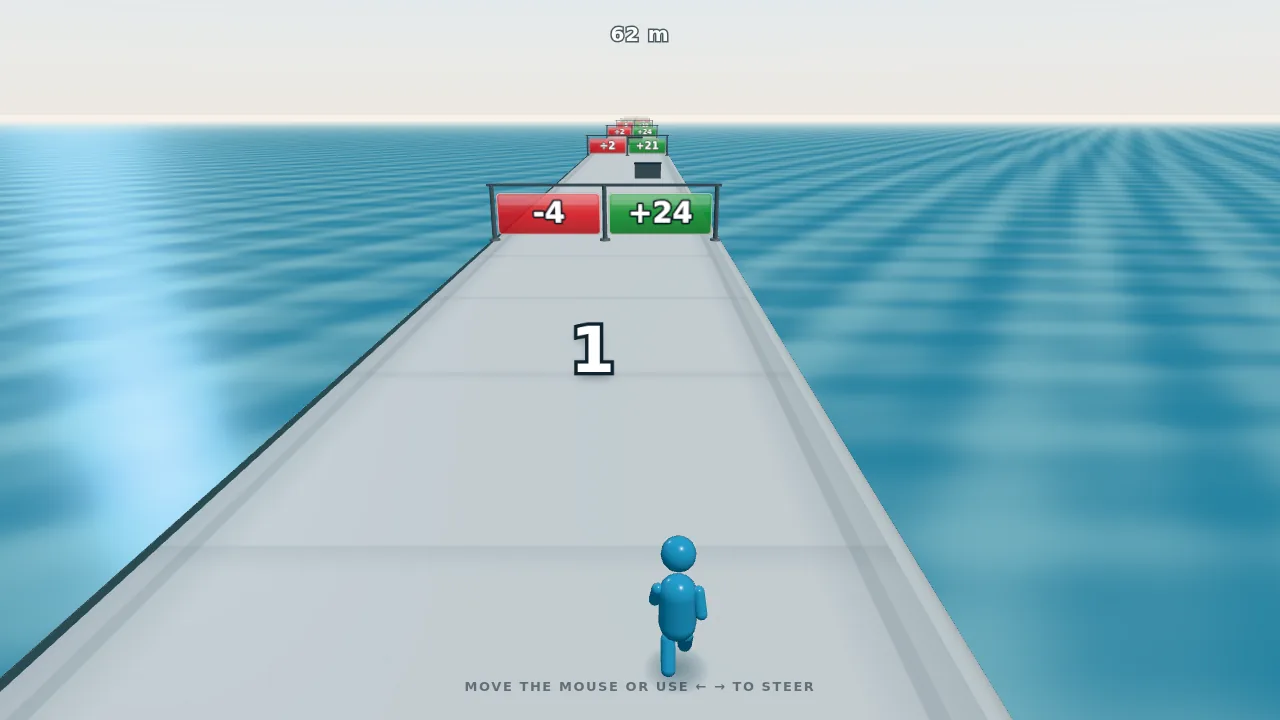
Before: the first screenshot the agent looked at, one runner heading for a −4 / +24 gate pair. The dark line along the left edge of the road is what the road-edge excerpt below traces.
Round 1, model call 101

The agent's own crop of the near left road edge, magnified five times: a dark teal band runs between the water and the road. It looked at this between the ablation and the fix in the road-edge excerpt.
Round 1, model call 124
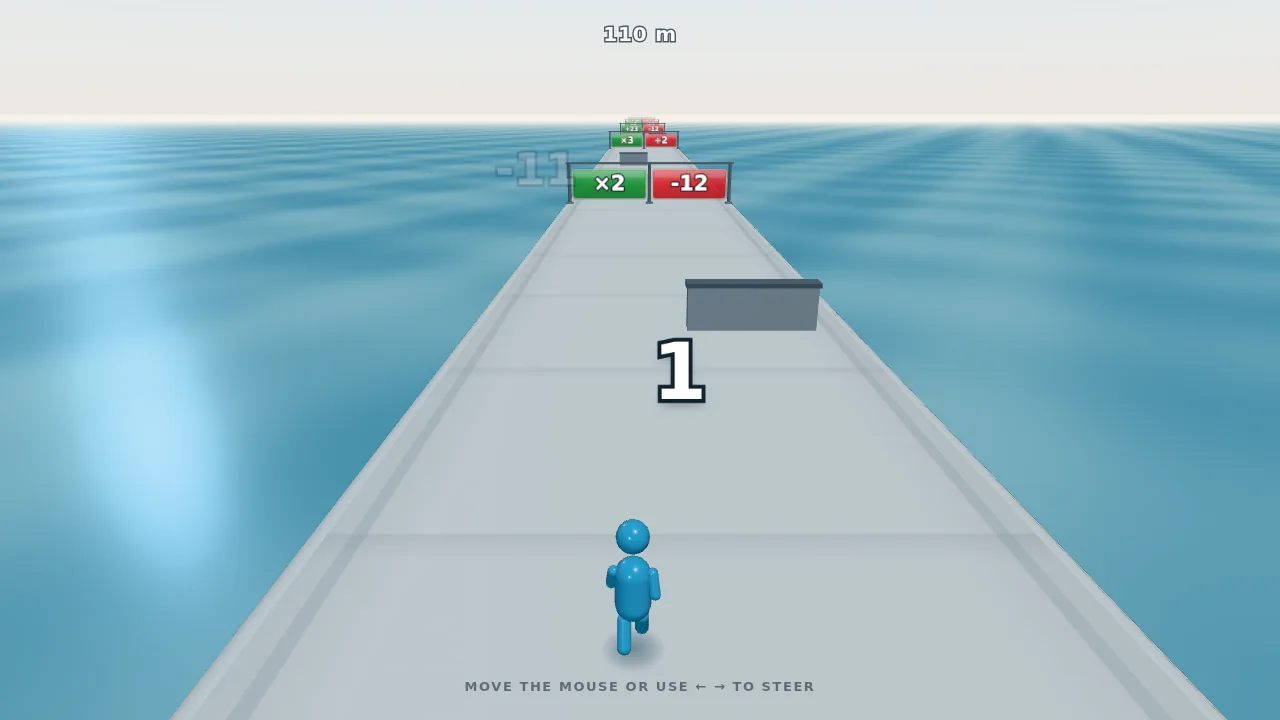
After: on a new run with gates placed at random, the left edge of the road is clean. One shoulder's triangles had been wound inward (road-edge excerpt below).
Round 2, model call 257
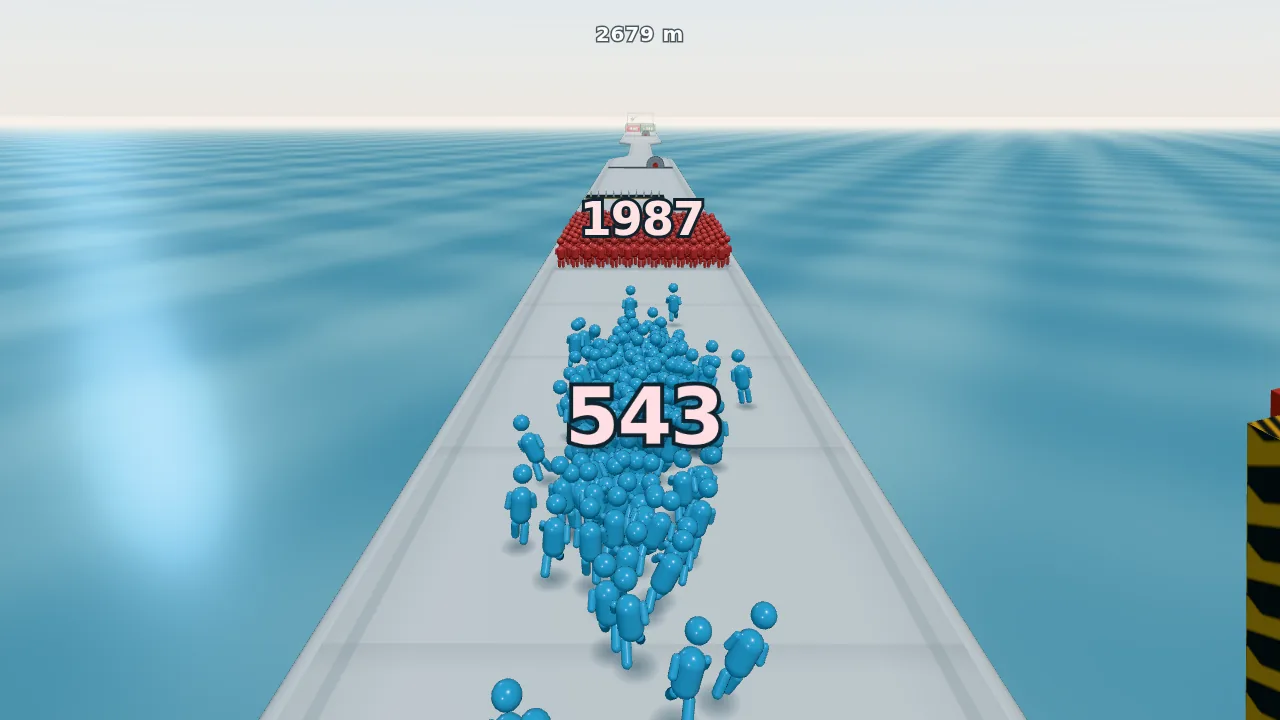
A head count of 543 runs at a red crowd of 1,987. When crowds meet they lose bodies one for one, so this fight is lost.
Round 2, model call 258
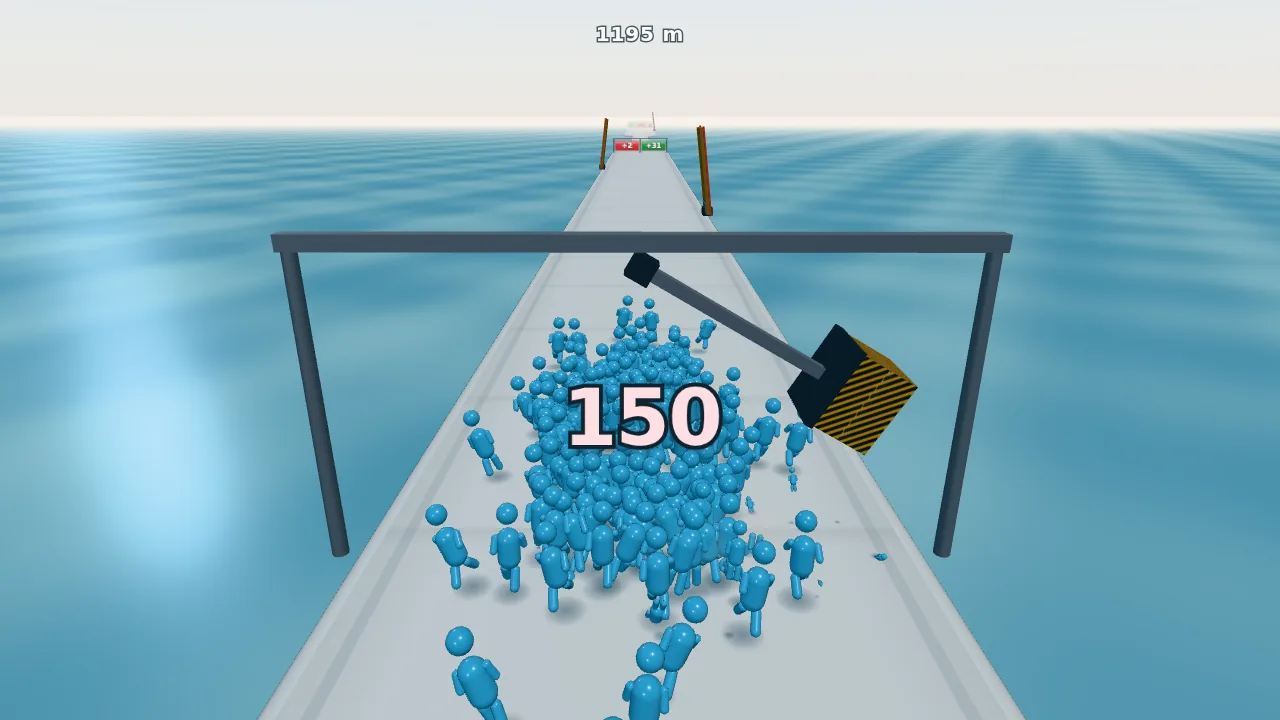
A hammer on a gantry swings across the road through a head count of 150. Each runner it hits is thrown clear and taken off the count.
Round 2, model call 275
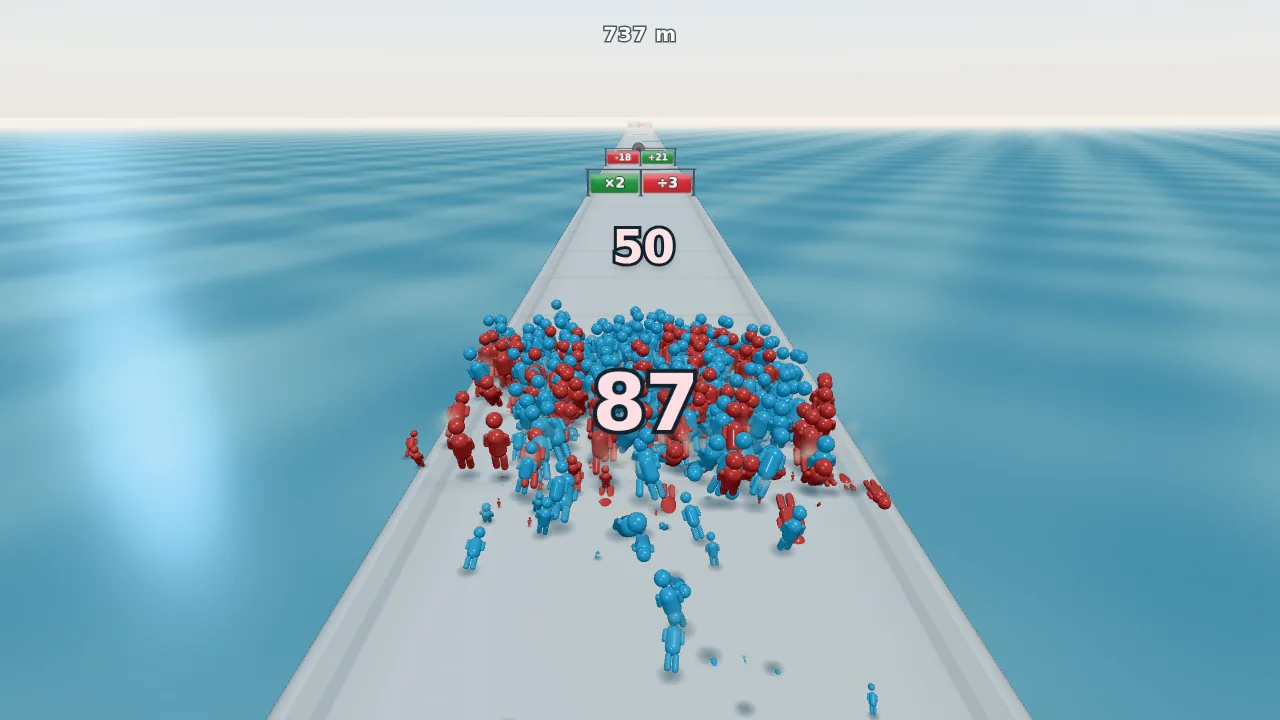
A brawl with a red crowd: red and blue bodies mix, and both head counts (87 and 50) fall together until one side is empty.
Round 3, model call 449
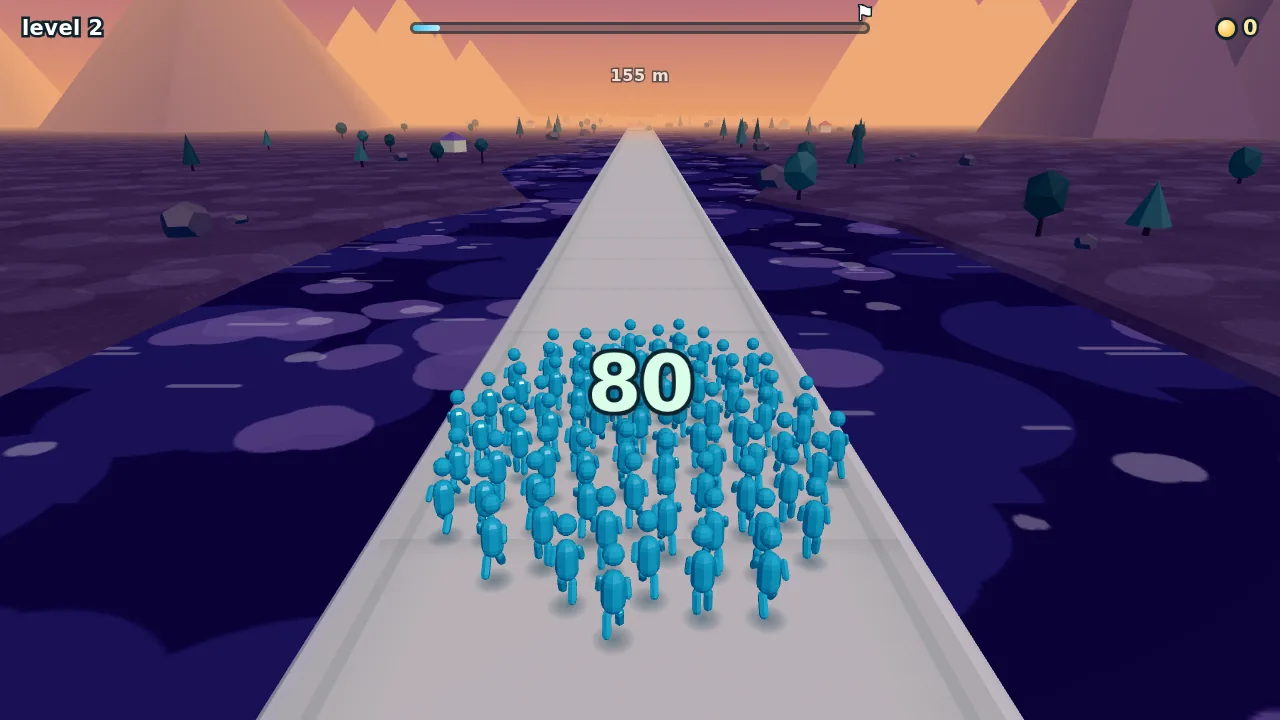
Level 2 in the dusk palette: a purple lake patterned with pale blobs, low-poly trees, rocks, houses and mountains. Sky, water, ground and props change color together from one level to the next.
Round 3, model call 456
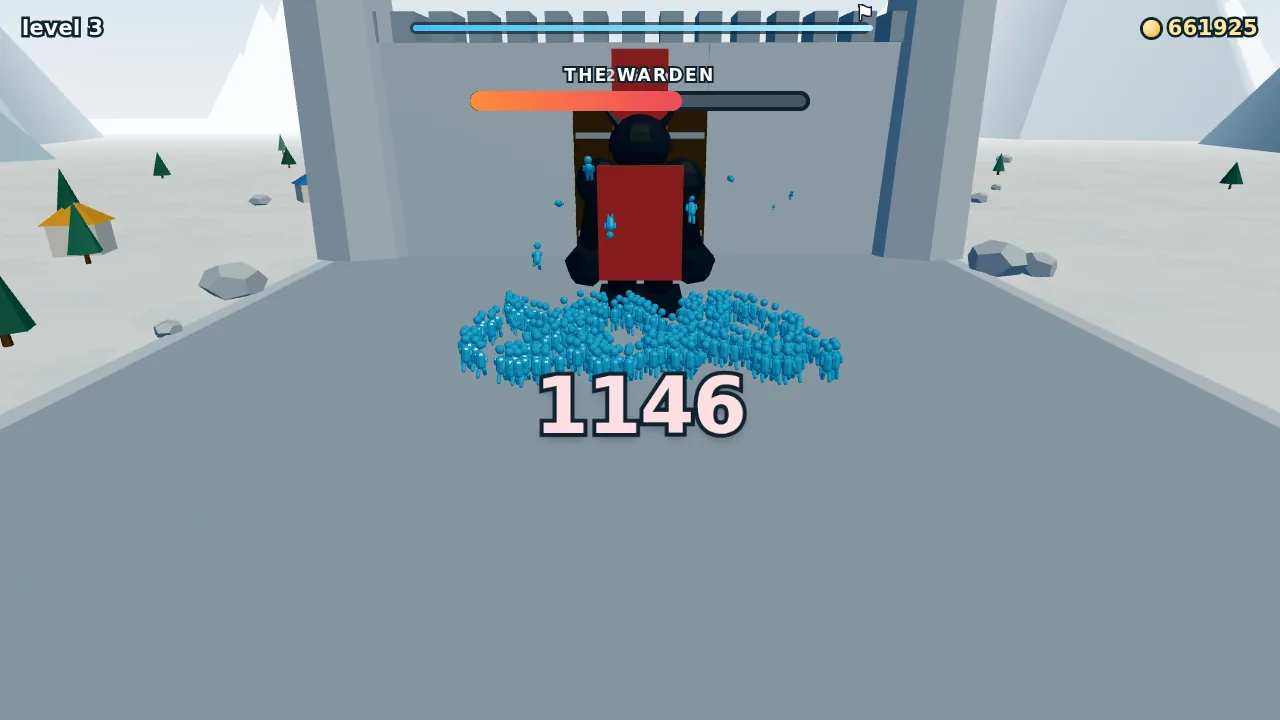
Before: the boss, first version. From this screenshot the agent noted three problems: he faces away from the crowd, the empty plaza fills the frame, and his name is printed over the distance readout under the progress bar (boss excerpt below).
Round 3, model call 533
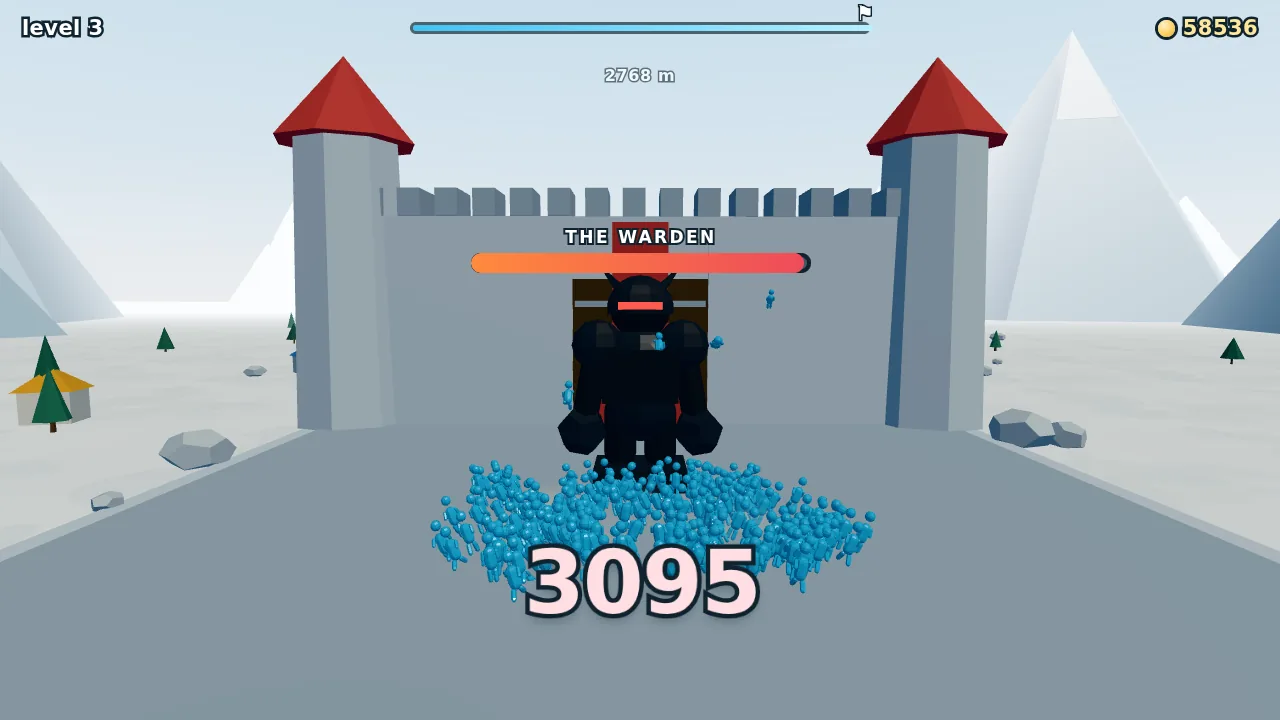
After: the giant faces the crowd, and a camera set up for the fight frames him with the castle gate. Looking at this shot, the agent next raised his name bar clear of his horns.
Round 4, model call 709
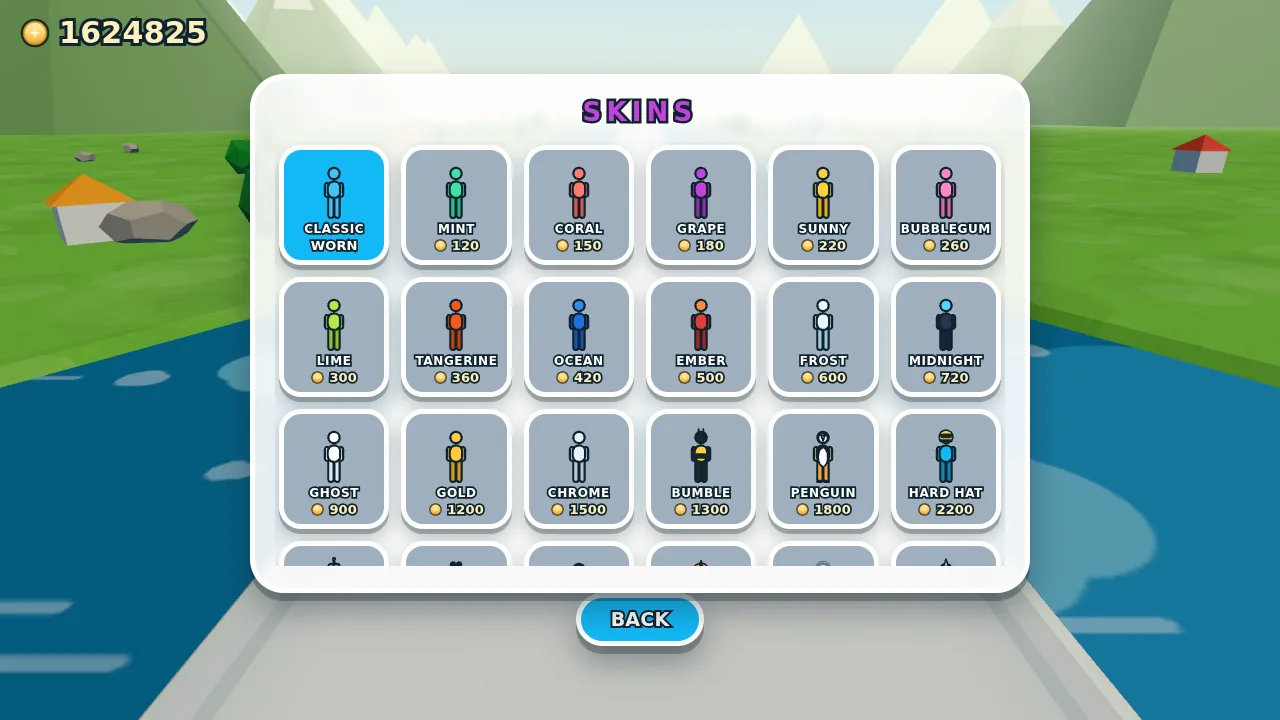
The skin shop: color swaps and novelty looks, bought with coins.
Finished game
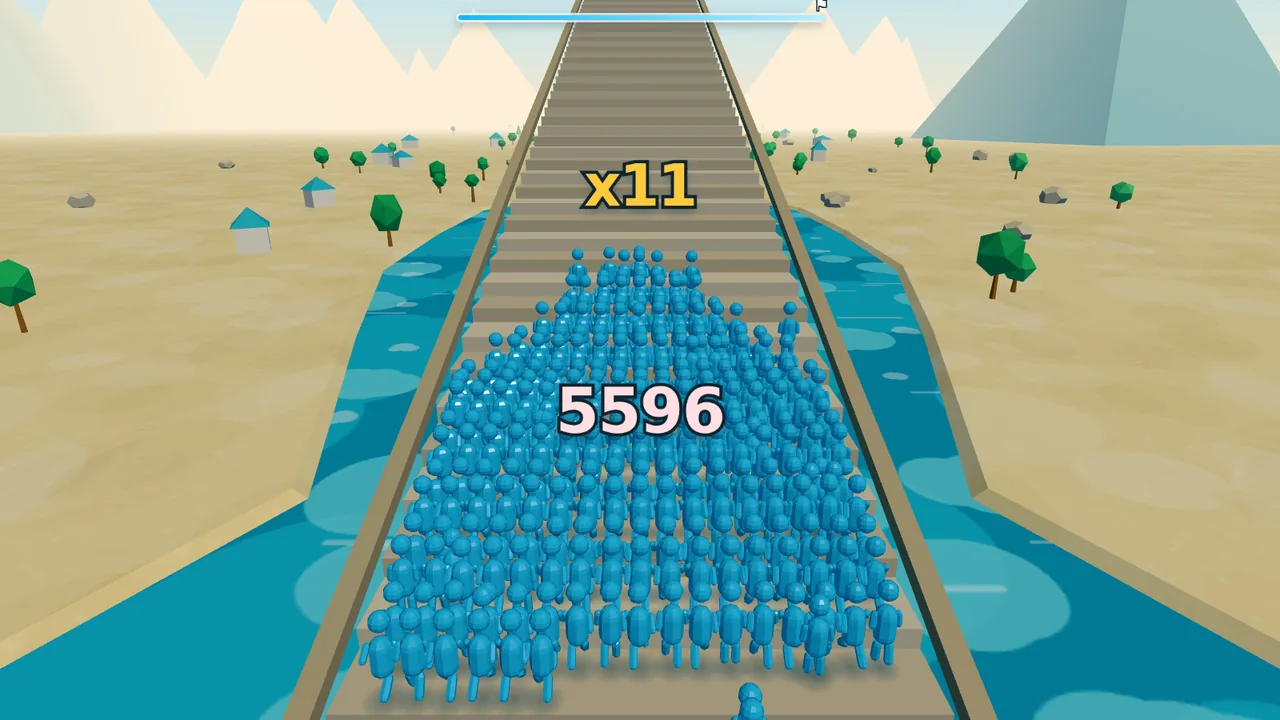
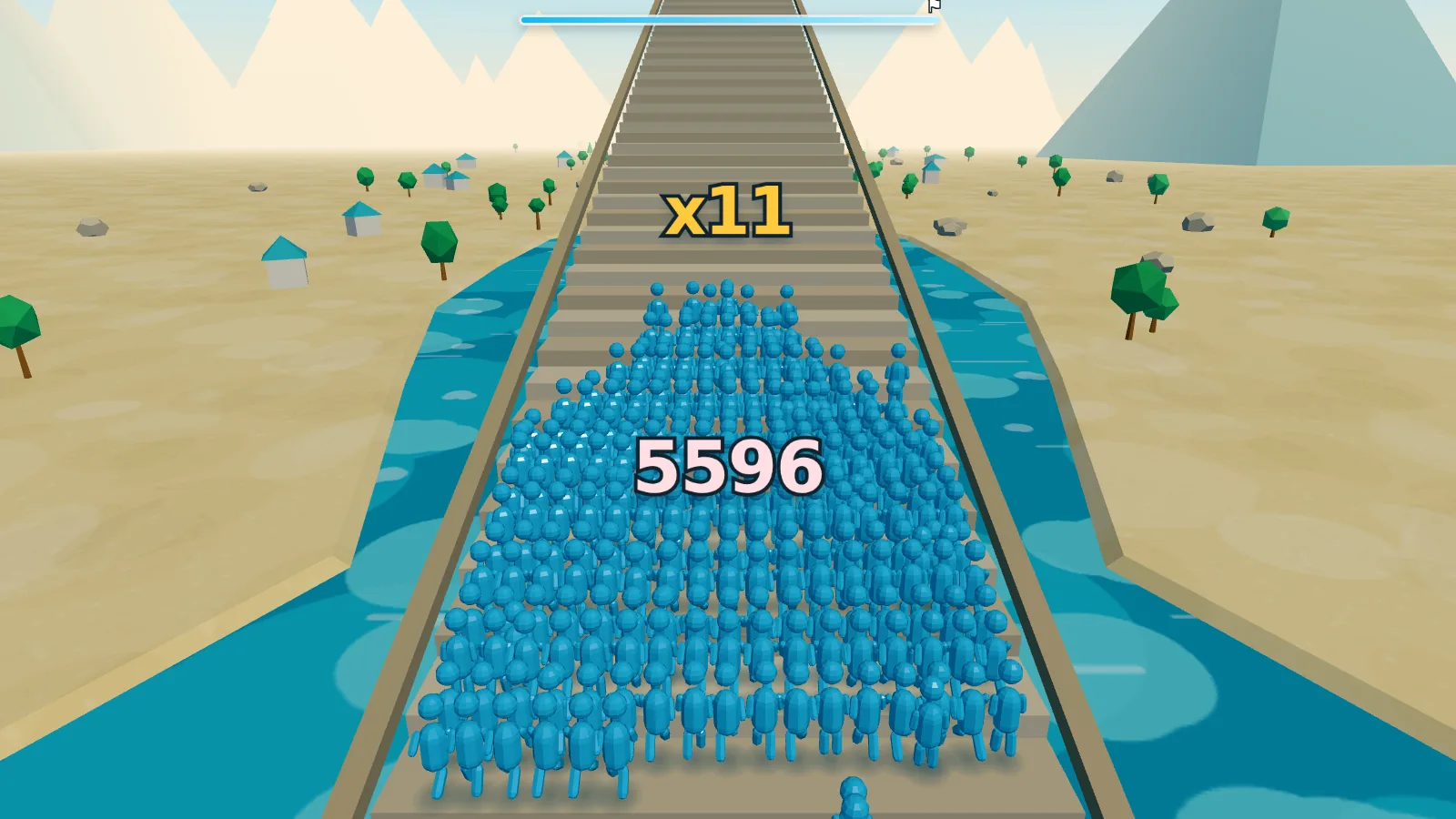
A head count of 5,596 on the staircase finale, at the ×11 step, in the turquoise-and-sand palette.
Result
- Request rounds
- 4
- Model calls
- 739
- Tool calls
- 789
- Output tokens
- 0.92 M
- Lines of JavaScript (23 modules)
- 7,333
- Agent working time
- 5 h 22 min
Excerpt: from a dark road edge to triangle winding (round 1, model calls 98–102)
- Tool output Bash
buffer 1280x720 dark samples: 2724 darkest pixels and what the ray through them hits: (572,209) #0c2427 lum=29 [{"geo":"PlaneGeometry","mat":"MeshBasicMaterial",…,"dist":38.6,…},…] … (644,641) #002b3e lum=32 [{"geo":"PlaneGeometry","mat":"MeshStandardMaterial",…,"dist":10.1,…},…] … - Tool output Bash
baseline dark pixels in left-edge band: 7223|82
 0 Mesh:SphereGeometry                7276|82
 1 HemisphereLight:0kids              10672|66
 2 DirectionalLight:0kids             29504|82
 3 DirectionalLight:0kids             8921|82
 4 Group:3kids                        9596|83
 5 Mesh:PlaneGeometry                 9498|83
 6 Mesh:CapsuleGeometry               7067|85
…
- Tool output Read
[image: the magnified crop from model call 101 above]
- Thinking
I'm spotting a dark teal band about 15 pixels wide that sits between the bright water at the top and the road's white edge—that's the vertical wall of the skirt, which connects the roll-off bottom to the waterline. But it's showing up as teal rather than gray, which is unexpected. … Actually, I think I've found it—the
DoubleSidematerial combined with winding direction. For back-facing triangles on the left lip, three.js flips the normal in the shader, which would point the surface away from both the camera and the key light, producing that dark result. … So the left lip's shading normals are flipped, which makes that entire edge appear dark since it's being lit as if it's facing downward. The right side works correctly because its winding produces front-facing geometry. … - Tool call Edit
file_path: …/src/track.js
new_string:
  for (let i = 0; i < n - 1; i++) {
    const a = i * 2, b = i * 2 + 1, c = (i + 1) * 2, d = (i + 1) * 2 + 1;
    if (flip) indices.push(a, c, b, b, c, d);
    else indices.push(a, b, c, b, d, c);
  }
Excerpt: turning the boss around and framing the fight (round 3, model calls 456–471)
- Tool output Read
[image: the screenshot from model call 456 above, with the boss facing away from the crowd]
- Thinking
I'm spotting critical issues with the boss scene composition. The camera is positioned too close and too low, leaving the plaza dominating the frame while the boss becomes a tiny figure at the top, mostly obscured by his own cape and the crowd around him.
…
Looking at the geometry more carefully, I realize the boss is actually facing away from the crowd toward the castle—his visor points in the negative Z direction while the cape extends toward positive Z, meaning we're seeing his back. He needs a 180-degree rotation to face the oncoming crowd properly.
…
There's also a UI collision issue where the boss health bar and name overlap with the progress bar at the top of the screen…
- Thinking
…
To fix the orientation, I'm rotating the giant 180° so he faces the crowd directly, which also puts the cape on his back where it belongs. … With y = π facing him toward the crowd, a positive x rotation tips his head toward the camera, so I need to flip it to negative to make him fall backwards away from the camera—toward the castle doors that should open behind him.
…
Now I'm thinking about framing the fight by adding a camera focus override to the ChaseCamera so main.js can direct it to look at the boss during the encounter.
…
- Tool call Edit
file_path: …/src/boss.js old_string: … this.giant.rotation.set(0, 0, 0); new_string: … // Facing the crowd. The tilts applied later — the flinch, the topple — // ride outside this in the ZXY order, so they stay world-axis rotations // and keep meaning "knocked backwards" whichever way he is turned. this.giant.rotation.set(0, Math.PI, 0); - Tool call Edit
file_path: …/src/boss.js old_string: // He goes over backwards, stiff as a plank. … this.giant.rotation.x = e * (Math.PI / 2) * 0.98; … new_string: // He goes over backwards, stiff as a plank — away from the crowd, so he // does not land on the camera and the doors behind him stay in shot. … this.giant.rotation.x = -e * (Math.PI / 2) * 0.98; … - Tool call Edit
file_path: …/src/camera.js new_string: … /** * Frames a fixed point instead of trailing the crowd. The boss fight stops * dead in front of something twelve metres tall with a castle behind it, and * the trailing rig — twenty degrees down, six metres up — points at the * empty plaza while all of that happens off the top of the screen. … */ setFocus(at) { this.focus = at; } - Tool call Edit
file_path: …/src/boss.js
new_string:
  …
  /**
   * How the camera should frame the fight: chest height on the giant, a few
   * metres in front of him so the crowd piling in sits at the bottom of the
   * shot, seen from far enough back that he and the gate both fit.
   */
  get cameraFocus() {
    return {
      x: 0,
      y: CONFIG.road.surfaceY + 1.35 * S,
      z: this.bossZ + 4,
      back: 34,
      up: 3.2,
    };
  }
Sample 3 of 3
Front of class: a school day of mouse-only activities
The player is a teacher working through a school day of short mouse-only activities, from marking picture quizzes to breaking up a fight, and each day ends with stars, a rating and in-game pay. Round 1 built the classroom and the first activity, rounds 2 and 3 added three more each, and round 4 tied them into a career: activities unlock day by day, a needle sets a pay multiplier, job offers switch the class, and progress is saved locally. The frames show the finished game in play order; the first excerpt is a grading test in round 1 that exposed a design flaw, and the second is the agent’s end-of-round‑3 account of the fight and of two rules it decided on its own.
The rounds
- Round 1 One classroom, one activity: a bright room seen from the teacher’s desk, chunky students with faces drawn on, and marking picture-quiz papers with tick and cross stamps, ending in a letter grade.
- Round 2 More life and three more activities: stamps that pop with paper scraps, a camera shake for a wrong mark, students who bounce or slump at their grade, big words that flash up; then asking the class, sharpening a pencil and wiping the board.
- Round 3 Discipline: catching cheaters, breaking up a fight with a fire extinguisher and hall-monitor duty in a corridor, each using the mouse differently and each ending with a count of right decisions.
- Round 4 A career: days made of unlocked activities, a results screen with stars and pay, a stop-the-needle multiplier, job offers that change the quiz subject, a teacher picker and outfits, a chunky interface that works on a phone, synthesized sound and a local save.
The finished game, in play order
Day 1 · before class
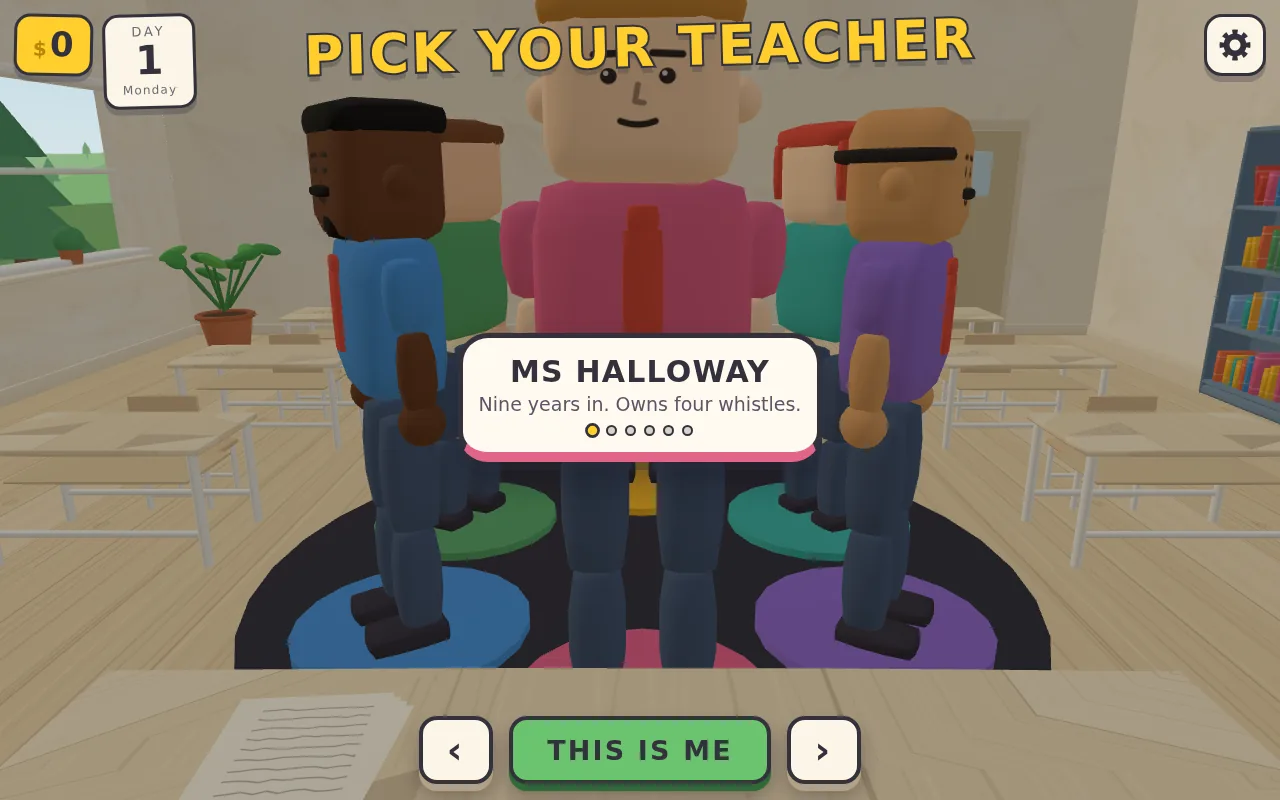
Before the first day, the player picks a teacher from six on a turntable, each with a name and a one-line bio.
Day 1
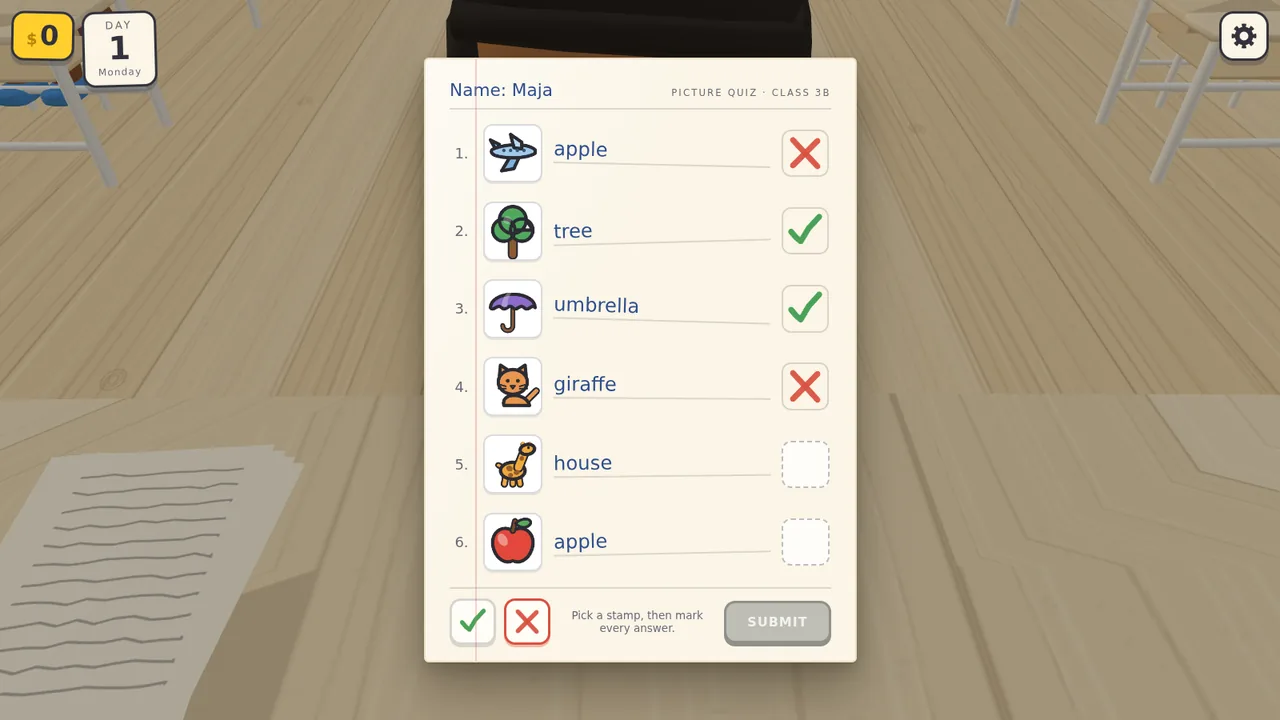
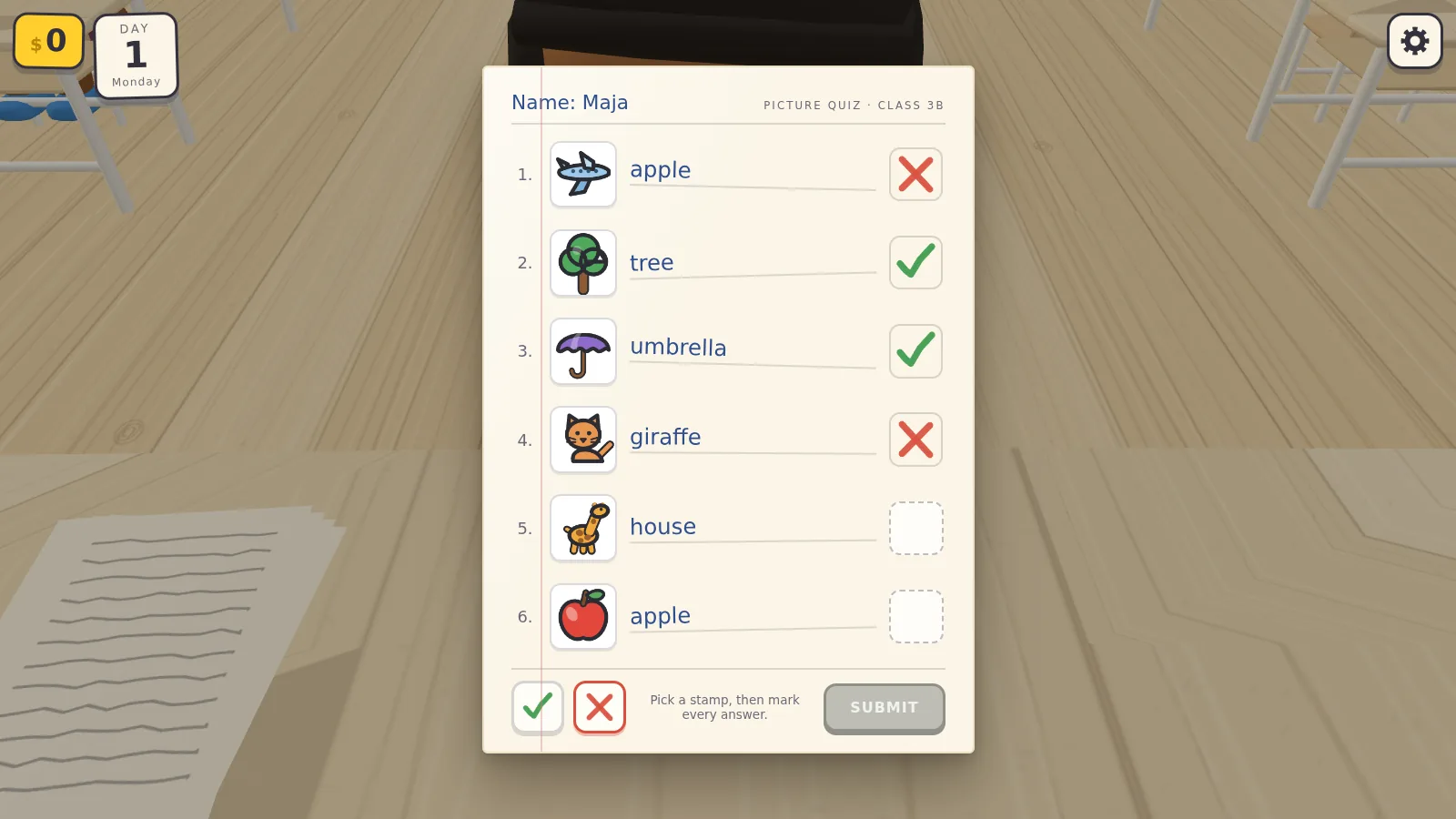
Marking a picture quiz: a tick where the written answer matches the picture, a cross where it doesn't, four of six stamped so far. Submitting checks the marking and stamps a letter grade, the rule tested in the grading excerpt below.
Day 1
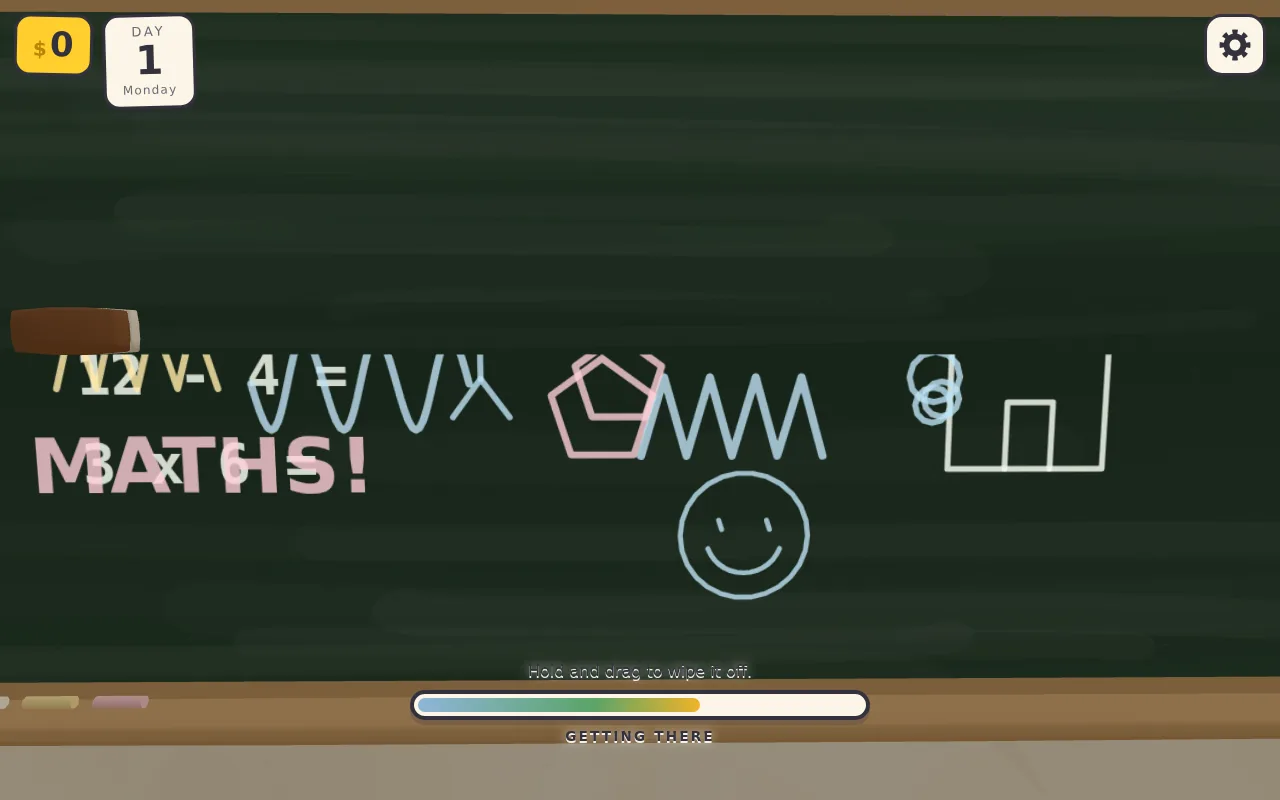
Wiping the board: dragging the eraser clears the chalk scribbles stroke by stroke, and the top half is already clean.
Day 1
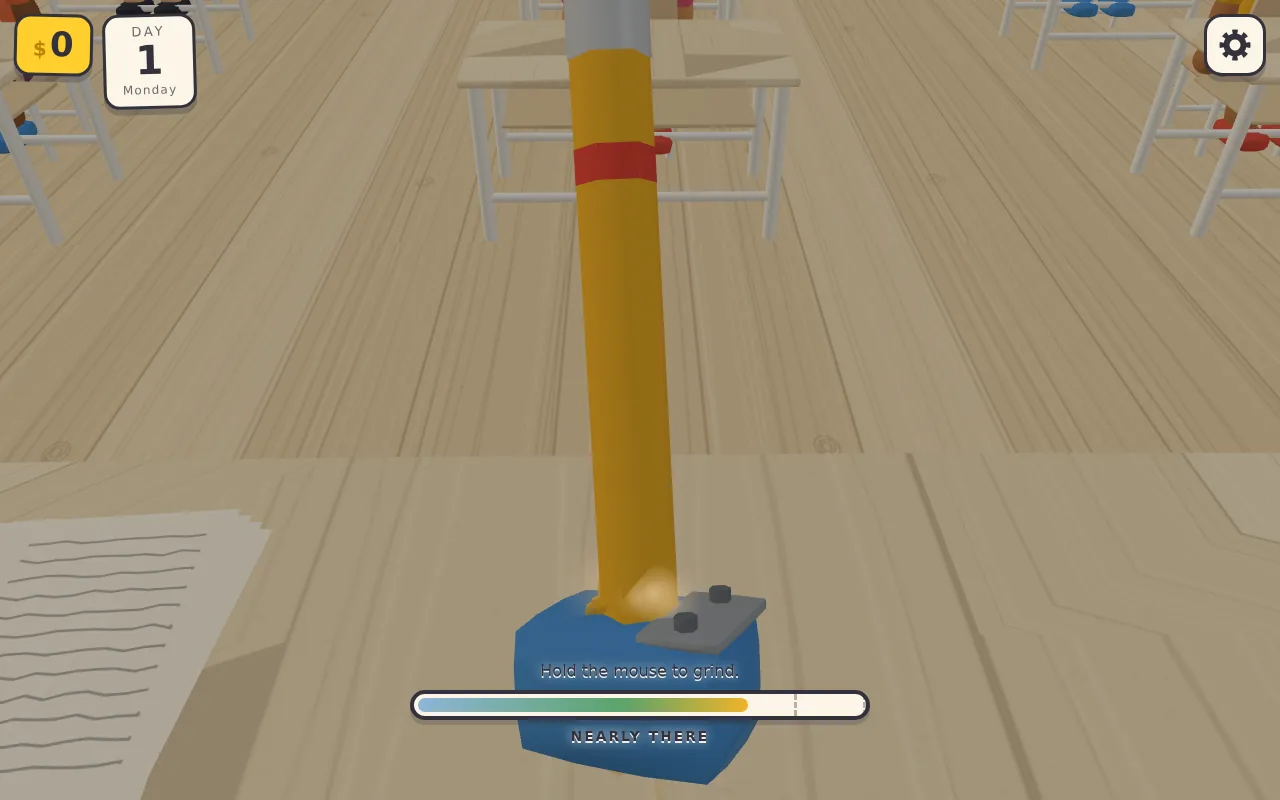
Sharpening a pencil: holding the button grinds it and fills the meter, here just short of the top band. Letting go in that band gives a perfect point; grinding on snaps the tip.
Day 1 · end
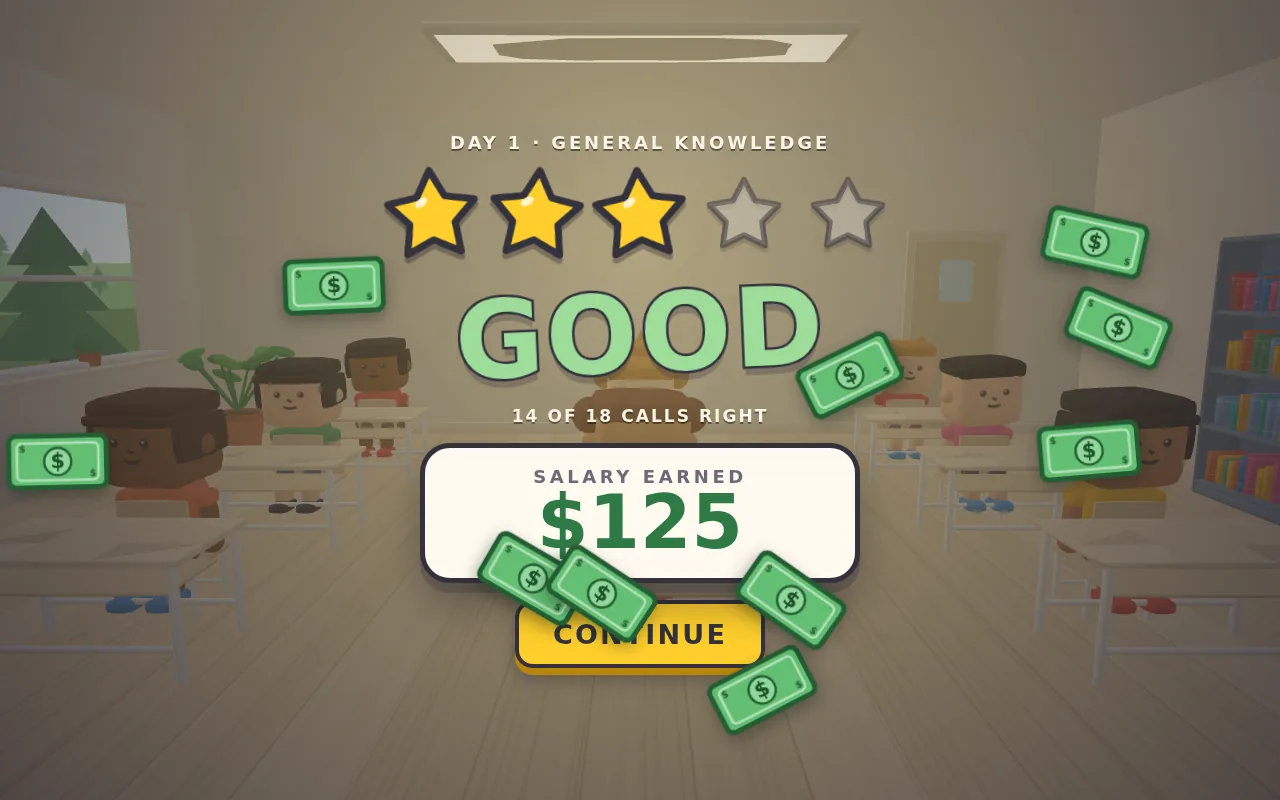
End of the day: 14 right out of 18 earns three stars of five and a one-word rating, and the in-game pay counts up as banknotes fall.
Day 1 · end
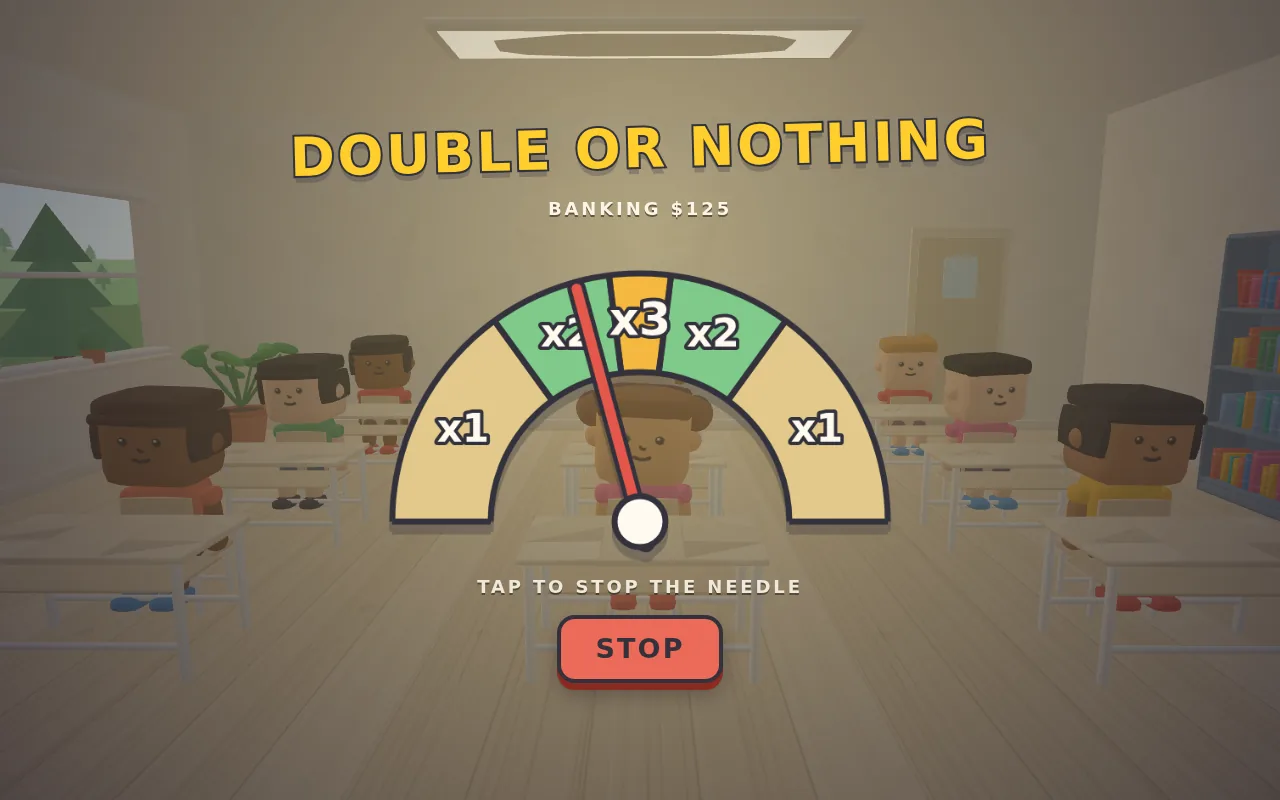
Before the pay is banked, a needle swings across an arc of ×1, ×2 and ×3 bands. One click stops it, and the band it stops in multiplies the pay.
Day 4
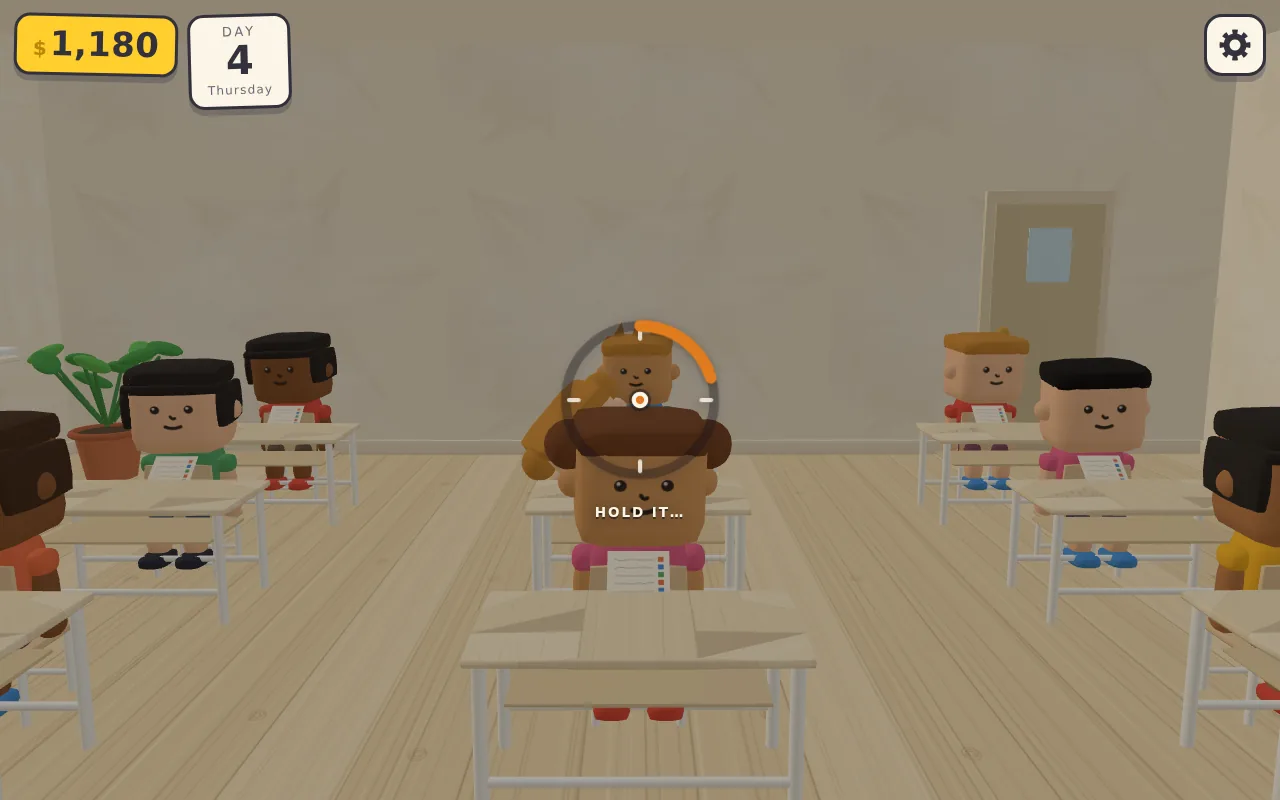
Catching cheaters during a test: dragging looks around the room, and holding the crosshair still on a student who is copying fills the ring around it.
Day 4
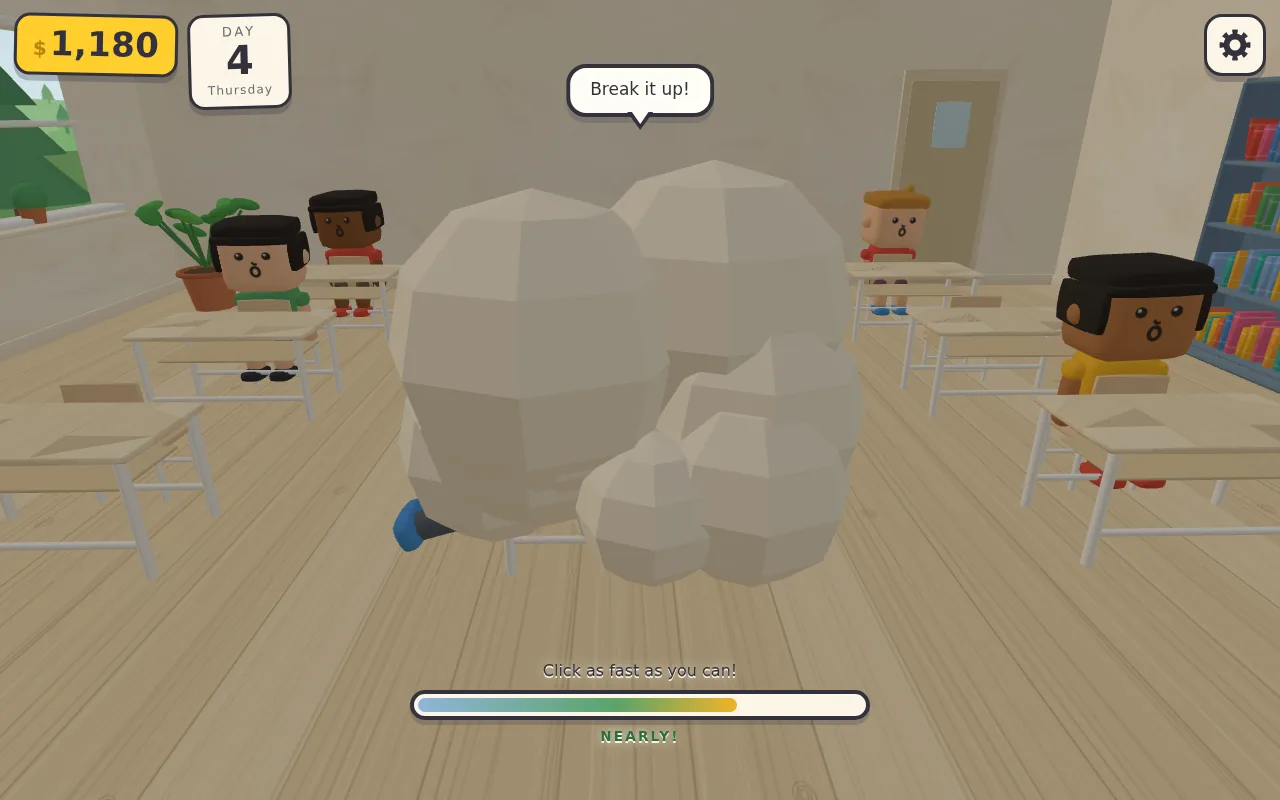
Two students fight inside a cartoon dust cloud. Clicking fast fills the bar, and a full bar brings out the fire extinguisher; the end-of-round report below gives the agent's numbers for the bar.
Day 4
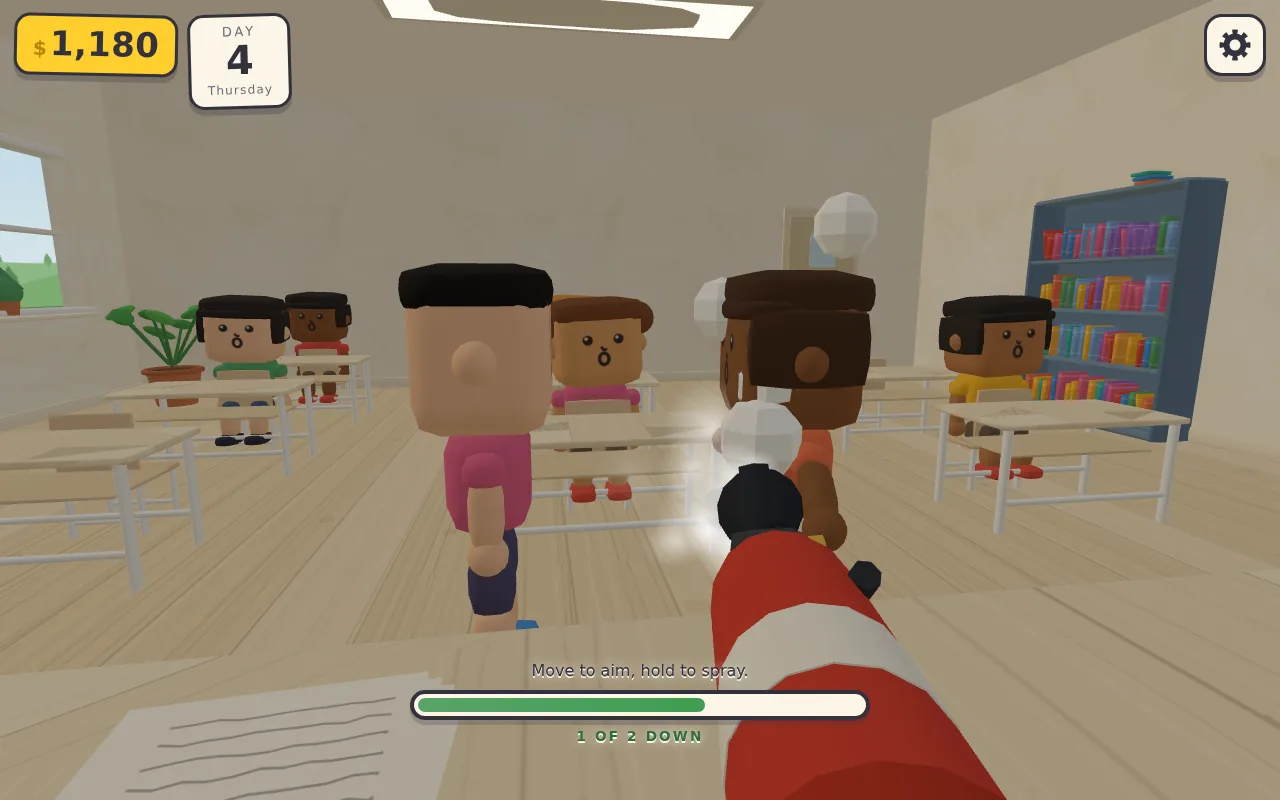
The camera drops behind the extinguisher: the mouse aims, holding the button sprays foam, and a soaked student freezes; one of the two is already frozen.
Day 4
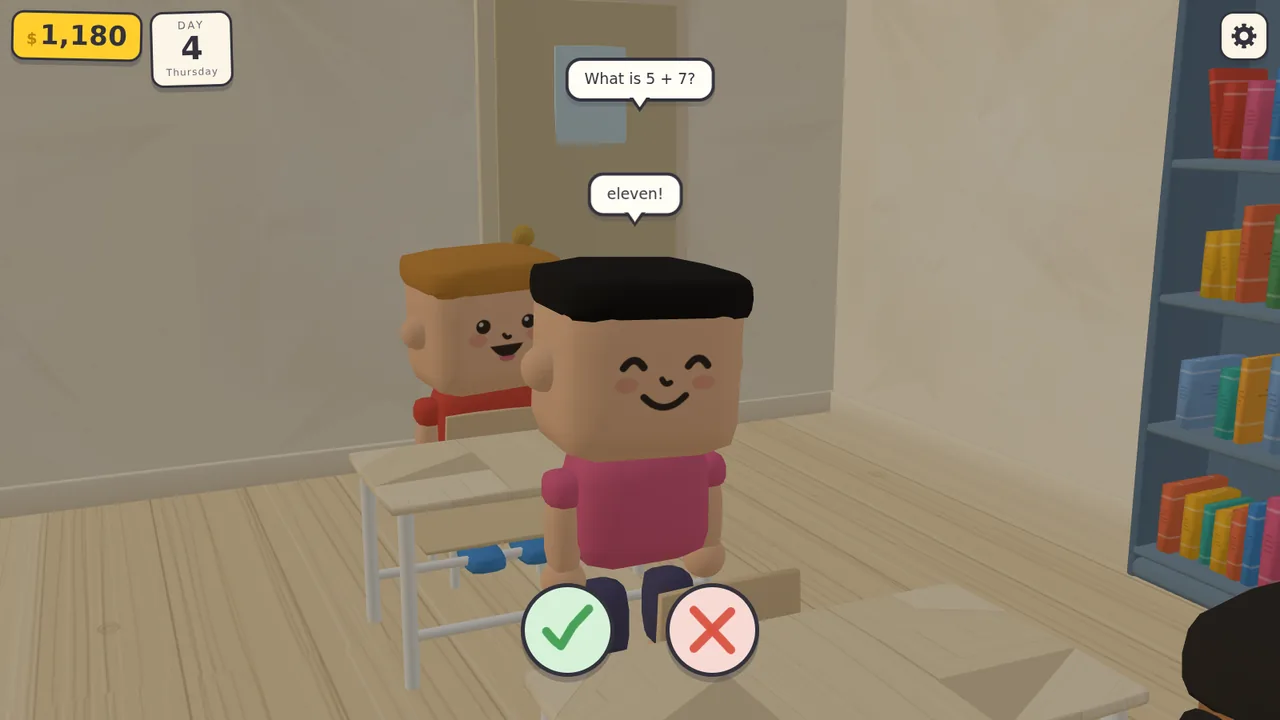
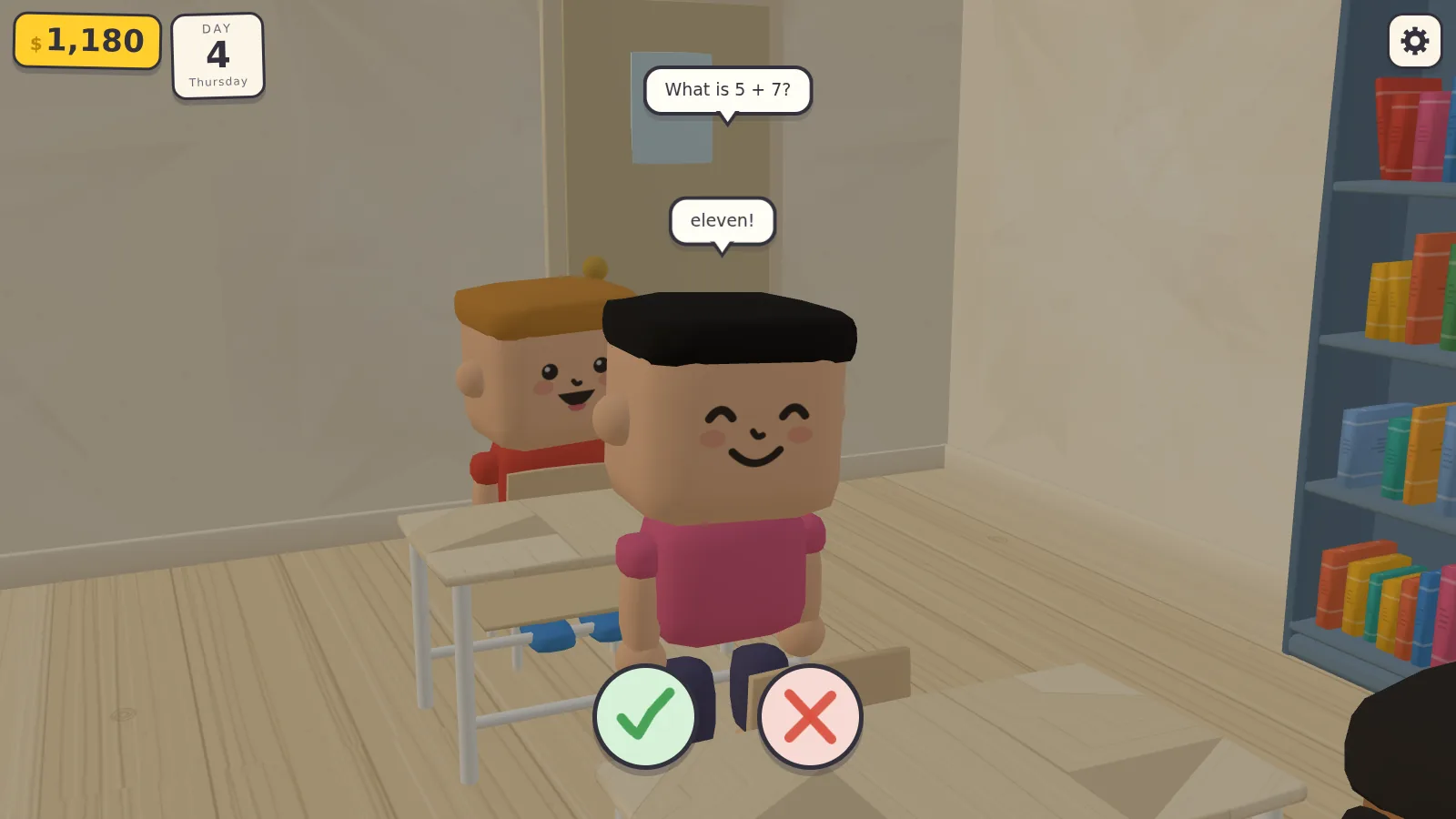
Asking the class, the day's last lesson: a student answers 'eleven' to 5 + 7, and the teacher judges it with the tick or the cross.
Result
- Request rounds
- 4
- Model calls
- 524
- Tool calls
- 555
- Output tokens
- 0.69 M
- Lines of JavaScript (33 modules)
- 10,893
- Agent working time
- 2 h 36 min
Excerpt: a grading test exposes a design flaw (round 1, model calls 38–45)
- Tool call Write
file_path: …/grading.mjs
content:
/**
 * Grading test: mark one paper perfectly (expect A), then mark the next one
 * entirely with crosses (expect F), reading the answers straight out of the
 * DOM and the pictured doodle by instrumenting DOODLES.
 */
…
- Tool output Bash
paper 0: grade=F hint="All 6 marked correctly."
   umbrella/sun house/tree giraffe/chilli balloon/cat tree/tree cat/cat
…
FAIL: perfectly marked paper graded F, expected A
FAIL
…
- Thinking
… But I'm noticing a design issue: the question generator forces at least one incorrect answer, which means a perfectly-marked paper will always have at least one cross, making an A grade essentially unreachable through honest marking…

To fix this, I'm making the answer distribution probabilistic: about 18% of papers will be perfect (all correct answers, earning an A), and about 8% will be disasters (all wrong, earning an F). For the remaining papers, I'll randomly mark about 42% of answers as wrong while ensuring at least one wrong answer exists so the paper isn't accidentally perfect.
…
- Tool call Edit
file_path: …/src/minigames/markPapers.js
old_string: …
  // never hand over an all-right or all-wrong paper — no decisions in that
  if (questions.every((q) => q.correct)) questions[rng.int(0, count - 1)].correct = false;
  if (questions.every((q) => !q.correct)) questions[rng.int(0, count - 1)].correct = true;
…
new_string: …
  const mood = rng.next();
  const perfect = mood < 0.18;
  const disaster = !perfect && mood > 0.93;

  const flags = picks.map(() => (perfect ? true : disaster ? false : !rng.chance(0.42)));
…
- Tool output Bash
paper 0: ticks 3/6 grade=D (want D) hint="All 6 marked correctly."
…
paper 1: ticks 0/5 grade=F (want F) hint="1 mark wrong — the grade stands."
…
paper 2: ticks 5/5 grade=A (want A) hint="2 marks wrong — the grade stands."
…
PASS
…
Excerpt: the agent's end-of-round report on the fight and two rules it decided on its own (round 3, model call 333)
Customization
Including, but not limited to, the following; anything else is open for discussion.
- Brief. Genre, number of rounds, scope of each round, request language.
- Agent. Model, effort level and harness; several models on one brief.
- Stack. Another engine, TypeScript with a bundler, or pinned versions.
- Assets. Fully procedural, or an asset pack you supply.
- Format. Full call logs, segment files only, or message-level JSON.
- Volume and schedule. How many and by when.